GoEnhance AI Review: Video-to-Video That Works
An honest GoEnhance AI review: the three jobs it genuinely solves, where style drift breaks it, and why it is not a Runway competitor.
 GoEnhance
 Kling AI
 Runway
While everyone argued about which text-to-video model rendered the most convincing hair, a quieter category of tool was solving a more practical problem: taking footage that already exists and making it look like something else.
That is a different job, and it is one clients ask for far more often than they ask for generated footage. GoEnhance AI sits squarely in it.
What it actually does
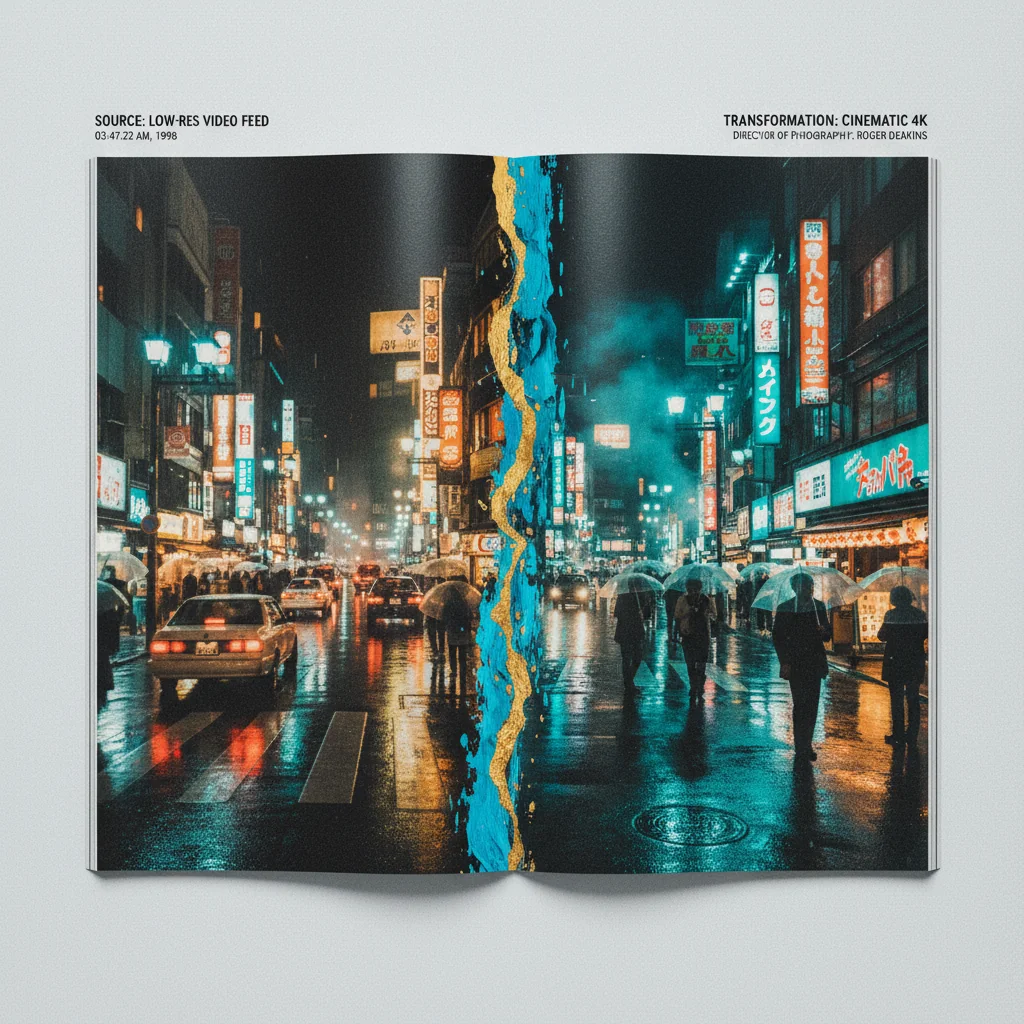
The core function is style transfer applied to existing video. You upload footage (phone video, a screen recording, a basic shoot) and it renders through a new visual treatment. Cinematic grade, anime, architectural render, product-photography aesthetic. The style library is broad.
Two other capabilities matter as much and get discussed less.
Upscaling to 4K is legitimately useful, and I have used it purely for resolution on footage shot with older cameras. Understand what it is doing, though: it is inventing plausible detail, not recovering detail that was captured. On a wide landscape that reads beautifully. On a face, invented detail is exactly where the eye goes.
Still-to-motion animation turns static product images into moving sequences. This is the feature with the clearest commercial value, because it replaces work that would otherwise mean a motion designer and a day in After Effects.
The three jobs it genuinely solves
Normalising inconsistent source material. Not every client arrives with usable footage. Some arrive with iPhone video, some licensed stock, some assets from three different shoots that look nothing alike. Pushing all of it through one consistent treatment makes disparate material feel like it belongs together. This is the use case I reach for most, and it is unglamorous and enormously practical.
Concept visualisation before committing budget. Before a full generation run, transforming rough reference footage to approximate the target look is faster and cheaper for a stakeholder approval stage. Getting a client to say yes to a direction before you have spent the generation budget is worth a great deal.
Lifting adequate B-roll. Footage that was shot competently but not beautifully can be pushed somewhere more cinematic. Useful when the shoot budget did not stretch to a full cinematic setup, which is most shoots.
It is not competing with Runway or Kling
This is the distinction people get wrong, so it is worth being blunt about.
Runway and Kling generate new footage from prompts or reference images. GoEnhance transforms footage that already exists. They occupy different stages of the same pipeline and comparing them on quality is close to meaningless.
The practical rule: if you have footage, this is the specialist. If you have nothing but an idea, start with a generator. Many jobs use both, generating some shots and treating others, and the output has to match across that seam, which is its own craft problem.
Where it breaks
Style drift is the main constraint. Short segments transform cleanly. Longer footage can show the treatment shifting subtly across the clip, and because it is gradual you often do not notice until you watch the whole thing back. Work in segments and check the joins.
Faces are the weak point. Style transfer applied to a human face is where the uncanny effect concentrates. A stylised treatment across a landscape is convincing. The same treatment across a close-up can wander into something that unsettles a viewer without their knowing why.
Processing takes longer than the interface implies. Budget real time on a deadline, and do not leave a transformation as the last step before a delivery deadline.
Text in the source gets mangled. Any signage or on-screen lettering in your footage will likely come out wrong after transformation. Mask it, or reinstate it in post.
A workflow that avoids most of the pain
From doing this on real jobs, the sequence that works:
- Cut first, transform second. Lock your edit before treating anything. Transforming footage you later discard is wasted time and money, and it is the commonest mistake.
- Segment at your cuts. Since drift accumulates with duration, transform shot by shot rather than treating a long assembly. Your cuts hide the joins for free.
- Test one shot before committing the reel. Run your hardest shot first: the one with a face, or fast motion. Do that before processing anything else. If it fails there, it fails everywhere.
- Grade after, not before. Transformation changes the colour response, so any grade applied first will be undone. Treat, then grade to taste.
- Keep the originals. Obvious, routinely skipped. You will want to go back.
Who should actually buy this
Worth it if you regularly receive imperfect footage from clients, produce social content from mixed sources, need a consistent look across material shot at different times, or want product stills moving without a motion designer.
Not worth it if your work is generated from scratch, or your source footage is already well shot and well graded. In that case you are adding a processing stage that costs time and can only move you away from what a competent shoot already gave you.
That second point deserves emphasis. Style transfer is a fix for a problem. If you do not have the problem, applying it anyway produces the slightly-processed look that marks a lot of AI-assisted video, and viewers register it as cheap even when they cannot name what changed.
The verdict
GoEnhance is a specialist tool that does its narrow job well, and the job is one that comes up constantly in commercial work. It is not a creative generator and it does not want to be.
Judge it as what it is. A normalisation and elevation layer for footage you already have. On those terms it earns its place. Judged as a Runway competitor, it would look bad, and that comparison was never the right one.
If you want to see the full pipeline applied to a brief, the gallery has real production work, and AI video production covers how a project runs end to end.
Generate cinematic AI video, from €15
31 AI models. No subscription. Buy credits, generate on demand, own the results outright.
Also on Android. The AI Videos Studio app, with the same account and credits.