Google Veo 3.1 Review: Does Native Audio Actually Work?
Honest director-level review of Veo 3.1's native audio: what works for production, where it falls short, and when to reach for ElevenLabs instead.

Why Native Audio Is the Real Test for Google's AI Video Model
Google DeepMind CEO Demis Hassabis framed the release of Veo 3 as the moment when AI video generation left the era of the silent film. That is not marketing hyperbole. It is a technically accurate statement. Google Veo 3 is an AI video generation model that creates video and audio together in a single generation process. Most AI video tools generate silent clips that require separate audio production. Veo 3 outputs synchronized dialogue, sound effects, and ambient noise alongside the visual content.
The question that matters to working directors is not whether Veo 3 has audio. It does. The question is whether that audio is production-ready, or whether you are still going to be reaching for a dedicated voice tool the moment the brief gets serious. After running this through real-world production scenarios, here is the unvarnished answer.
What Veo 3 Actually Is in 2026
Released by Google DeepMind in May 2025, with the Veo 3.1 update following in October 2025, this model represents a technical shift in how AI handles video creation. Google Veo 3.1 is an AI video generation model developed by Google DeepMind, released in October 2025 with a 4K resolution update in January 2026. It generates high-quality videos from text prompts or reference images with native audio. Native audio generation, true 4K output, and vertical video support for Shorts/Reels are all in one package.
The Veo 3.1 family now includes three tiers, all of which feature native audio generation capabilities: Veo 3.1 for state-of-the-art video generation where visual fidelity is the top priority for final production cuts; Veo 3.1 Fast for faster video generation while maintaining high quality, making it ideal for standard production workflows. Veo 3.1 Lite is the most cost-effective model, empowering businesses to build high-volume video applications and rapidly iterate and scale.
Google's own routes to Veo 3.1 are Vertex AI for enterprise, Flow for individual creators on Google AI Pro and Ultra, Google Ads for advertisers, and Gemini for casual prompting. You do not need a Google subscription to use it, though: our own Studio runs all three tiers, Lite, Fast and full Veo 3.1, on pay-as-you-go credits.
Subscription Tiers: Pricing After I/O 2026
Access determines everything about your workflow. Google's pricing shifted at I/O 2026, in the week this review was first published (May 2026). At that point Google already had three offerings: AI Plus for just about $8/month, AI Pro for $20/month, and the top-tier AI Ultra at $250/month. Google launched a new $100/month AI Ultra plan, specifically tailored for developers, technical leads, knowledge workers, and advanced creators, and simultaneously reduced the monthly price of the top-tier AI Ultra plan from $250 to $200.
For video generation specifically: the AI Pro plan at $19.99 is the right entry point for most creators, but on this tier you are on the Fast model, not full quality. Developers can also pay per second through Vertex AI and the Gemini API. Subscription and API prices move, so check Google's own Gemini API price list before you budget; what each tier costs in our Studio is in the verdict below.
The Audio Engine: How It Works
The key technical innovation is joint audio-visual generation. During the diffusion process, the model's transformer processes both visual spacetime patches and temporal audio information simultaneously. The model runs at 24 frames per second and processes audio at 48kHz in stereo. That 48kHz stereo output is not a footnote. It is the spec that puts Veo 3 above what most broadcast pipelines demand as a floor.
Veo 3.1 generates ambient sound, sound effects, and dialogue simultaneously with video in a single model pass. The result is audio-visual sync that competitors can't match without post-processing. Before Veo 3, AI video was essentially silent. Creators had to add audio in post-production: sourcing music from libraries, recording voice-overs, layering sound effects manually. This added hours to every project and required audio production skills that many visual creators don't have.
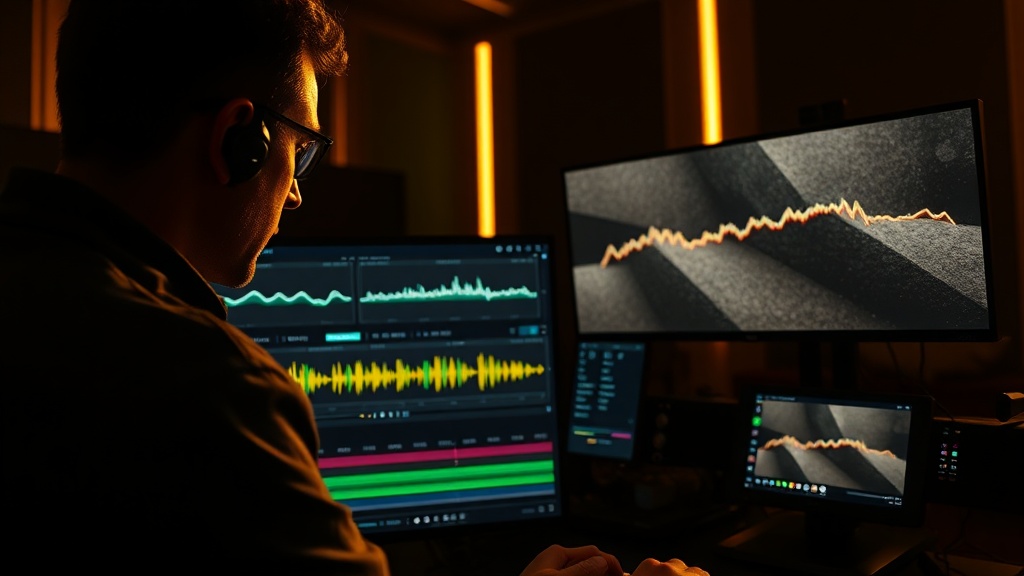
The practical workflow change this enables is real. Traditional workflows require separate video generation, voiceover recording, and audio mixing. With Veo 3's native audio support, you get a complete audio-visual output in a single generation request.
Where Veo 3's Audio Genuinely Delivers
The audio capabilities are not uniform across content types. Here is where they hold up to professional scrutiny.
Ambient Sound and Atmospherics
Ambient sounds are excellent. Ocean waves, city traffic, and forest ambience are genuinely good. In testing, a "busy restaurant kitchen" scene produced convincing sizzling, clattering, and background noise layering. For atmospheric ambient sound, Veo 3 generation often matches or exceeds what could be achieved with generic stock sound libraries, because the audio is generated to match the specific visual content rather than being applied from a generic library.
This is immediately relevant for B-roll, establishing shots, documentary-style cutaways, and location atmospherics. The synchronization is genuine: the sound belongs to the picture, not pasted on top of it.
Synchronized Sound Effects
Primary sound effects are very good. Footsteps, door opens and closes, and pouring liquid all synced well and sounded appropriate. Not perfect, but definitely usable for drafts. It generates the video and the audio in a single pass, meaning the ambient sounds match what's happening on screen, character dialogue has accurate lip-sync, and the overall audio-visual coherence is on a different level. In testing, a simple prompt like "a chef explaining how to sear a steak in a professional kitchen" produced a 6-second clip where the sizzle of the pan, the chef's hand gestures, and the voiceover were all temporally aligned.
Prompt-Directed Audio
You can include audio cues directly in your prompt, for example "sound of rain" or "narrator explaining…", and the model will generate matched audio. A good Veo 3 prompt tells the model who speaks, what they say, how they say it, what sounds happen around them, and which sounds should stay subtle. If you do not mention sound, Veo will pick something. If you do mention sound ("no music, only the crackle of fire") you get cleaner output.
Where Veo 3's Audio Breaks Down
This is the section that existing reviews skip. Do not skip it.
Dialogue: Capable but Unreliable
Dialogue is where it falls apart. That is a direct finding from independent testing, and it matches what you will encounter in production. Dialogue scripting is not currently supported. Dialogue and voice requires the prompt to include speaking characters. When the visual prompt describes a person speaking, say "a woman explains something animatedly to camera", Veo 3 generates voice audio with lip synchronization. The dialogue content itself is inferred rather than specified; you cannot currently script specific dialogue text in the standard prompt interface.
That single limitation defines the ceiling for production use. Native audio can introduce risk when the voice says claims that legal, product, or performance teams have not approved. For any client-facing deliverable (a brand film, an ad, a corporate communication) unscripted dialogue is a liability, not a feature.
Dialogue audio quality is noticeably better in English than other languages. Multilingual productions will need supplementary solutions regardless of overall audio quality.
Music: Functional, Not Final
Music performs most variably. Background ambient music often fits well, but the specific musicality (melody, harmony, development) is inherently random rather than crafted. For content where music is a primary creative element, dedicated AI music tools produce better results. Native generated music may not always match your final edit needs. For ads and brand content, you may prefer adding licensed music later.
The 8-Second Ceiling
Video length caps at 8 seconds per generation for the highest quality output. Shorter options of 4 and 6 seconds are available. Scene extension features allow connecting multiple clips for longer sequences, though this requires careful prompt engineering to maintain consistency across segments. Audio continuity across extended scenes is where this constraint bites hardest. Spliced audio beds are audible to any trained ear.
Veo 3 vs. ElevenLabs: When to Use Each
This is the decision that will shape your actual production workflow in 2026.
For speed and cost efficiency, Veo 3 native audio wins. For the highest possible audio quality in professional productions, supplement or replace with post-production audio. That is the accurate framework, and it tells you exactly where ElevenLabs enters the stack.
Use Veo 3's native audio when:
- The content is atmospheric — establishing shots, B-roll, environmental sequences
- Sound effects are incidental to the story, not the story itself
- Speed and iteration matter more than polish (pre-production, moodboards, client concepts)
- Ambient audio is the primary sonic requirement
- You are producing high-volume short-form social content where marginal audio quality differences are inaudible at scale
Use ElevenLabs when:
- Dialogue is scripted and must be legally approved
- You need a specific, consistent voice identity across a campaign
- The talent is a known entity — brand voice, a real spokesperson, a cloned voice from approved samples
- You need precise emotional direction and controlled delivery
- The output will be heard on high-quality audio systems where AI voice artifacts are exposed
ElevenLabs has established itself as the leading AI voice generation platform, powering text-to-speech, voice cloning, and conversational AI agents for creators, developers, and enterprises. The Creator tier includes 100,000 credits (~100 minutes of TTS), professional voice cloning for higher-quality custom voices, and 192 kbps audio output. For commercial use, whether YouTube monetization, client work, advertising or app integration, you need at minimum the Starter plan at $5/month. Professional Voice Cloning, which creates higher-quality custom voices from training samples, requires Creator ($22/month) or above.
The hybrid workflow is the professional answer: generate visuals and atmospheric audio with Veo 3, replace dialogue tracks with ElevenLabs-generated voice, mix to spec. Download the video as an MP4 and import it into any video editor. Mute the original audio track and replace with your own audio. DaVinci Resolve and Premiere Pro make this straightforward.
Real Production Use Cases
Social Media and Short-Form Content
The combination of native vertical video, Scene Extension, and integrated audio makes Veo 3.1 particularly powerful for social media content creation. Generate YouTube Shorts, TikTok videos, and Instagram Reels optimized for mobile viewing without reformatting or cropping horizontal footage. The extended duration capability through Scene Extension allows complete story arcs within the 60-second format these platforms favor. Establish context, develop a narrative hook, and deliver a resolution within a single coherent piece rather than stitching disjointed clips.
For high-volume social content production, Veo 3's native audio removes the entire post-audio workflow for most assets. The math is straightforward: if the ambient track is good enough for vertical mobile content, and it is, you are not paying for ElevenLabs credits you do not need.
Advertising and Campaign Work
Virgin Voyages uses Veo to create thousands of hyper-personalized ads and emails without sacrificing brand voice or style. Small brands like No Biscuits generated over 20 unique video assets in a single afternoon at less than 10% of traditional animation studio costs.
The caveat for advertising: any spoken claim requires human approval and controlled delivery. The workflow is Veo 3 for the visual + atmospheric layer, ElevenLabs for scripted voiceover, licensed music for the final mix.
Previsualization
Promise Studios uses Veo 3.1 within its MUSE Platform for generative storyboarding and previsualization for director-driven storytelling. This allows testing visual concepts before committing to full production. Native audio is a genuine advantage at the previs stage: clients hear a complete draft impression, not a silent storyboard. That changes how approval conversations go.
Competitive Position: Where Veo 3 Stands
The honest framing: Veo wins on audio, Runway wins on creator tooling, and Kling wins on style versatility. There is no single best: there is a best for your specific brief.
Veo 3.1 wins on cinematic quality, native audio synchronization, official API stability, and Google ecosystem integration. It ranks behind the field on clip length: every Veo 3.1 tier stops at 8 seconds, where MiniMax H3 runs to 15 and Wan 3.0 and Seedance 2.5 run single takes to 30. For a long unbroken shot, Veo is the wrong tool; for a short shot that has to sound right, it is usually the first one to try.
The Verdict: Does Veo 3.1's Native Audio Work?
Yes, with a boundary. Ambience, room tone and synchronised effects are good enough to ship on social content and B-roll, and on previs they change how approval conversations go. Dialogue is the weak link: fine for drafts, a liability for anything a client has to sign off. So the working rule is Veo 3.1 for picture and atmosphere, ElevenLabs for scripted voice, and a proper mix at the end.
Pick the tier by the job:
- Veo 3.1 Lite for drafts and volume. It keeps the native audio, stops at 1080p, and starts at 10 credits for a 4-second clip at 720p in our Studio.
- Veo 3.1 Fast for most production. At 10 credits a second, 1080p costs no more than 720p, and it adds 4K, up to three reference images and clip extension.
- Veo 3.1 for final cuts where fidelity decides it, at 25 credits a second, up to 300 credits for 8 seconds at 4K.
Those figures are what the Studio charges today, with no subscription. Rates move when providers reprice, so the live comparison is what AI video costs per second, and the Render Ledger works out what a finished shot costs once your retakes are counted. If dialogue is the heart of the brief, our Veo 3 vs Sora vs Kling dialogue comparison goes scene by scene.
Questions People Ask
Is Veo 3.1's native audio good enough for production? For ambience, atmospherics and synchronised sound effects, often yes: that is where it holds up best, and on B-roll, establishing shots and high-volume social content it can remove the post-audio step entirely. Dialogue is the weak link. It is usable for drafts and previs, but any spoken line a client or legal team has to approve belongs in a dedicated voice tool such as ElevenLabs, mixed in post.
What are the Veo 3.1 tiers? Three: Veo 3.1 Lite, Veo 3.1 Fast and the full Veo 3.1. All three generate native audio and run 4, 6 or 8 seconds in 16:9 or 9:16. Lite stops at 1080p and has no reference images or clip extension. Fast and the full Veo 3.1 reach 4K, take up to three reference images and can extend an existing clip.
How long can a Veo 3.1 clip be? Eight seconds per generation, with 4 and 6 second options. Longer sequences mean extending a clip or cutting several together, and audio continuity across those joins is where the limit bites hardest.
How much does Veo 3.1 cost? In our Studio it is pay-per-shot with no subscription: Veo 3.1 Lite from 10 credits for 4 seconds at 720p, Veo 3.1 Fast at 10 credits a second at 720p or 1080p, and the full Veo 3.1 at 25 credits a second, up to 300 credits for 8 seconds at 4K. Google also sells access through its own subscriptions and Vertex AI.
When should I use ElevenLabs instead of Veo's audio? When dialogue is scripted and must be approved, when a campaign needs one consistent voice, when the talent is a known voice, or when the output will play on systems that expose AI voice artefacts. The hybrid workflow is the professional answer: Veo 3.1 for picture and atmosphere, ElevenLabs for the voice, mixed to spec.
Generate cinematic AI video, from €15
31 AI models. No subscription. Buy credits, generate on demand, own the results outright.
Try Veo 3.1 on your phone. The AI Videos Studio app, with the same account and credits.