HeyGen for Corporate Video: Multilingual Playbook
A playbook for multilingual corporate video with HeyGen: avatar setup, translation, the review step nobody budgets, and where not to use it.
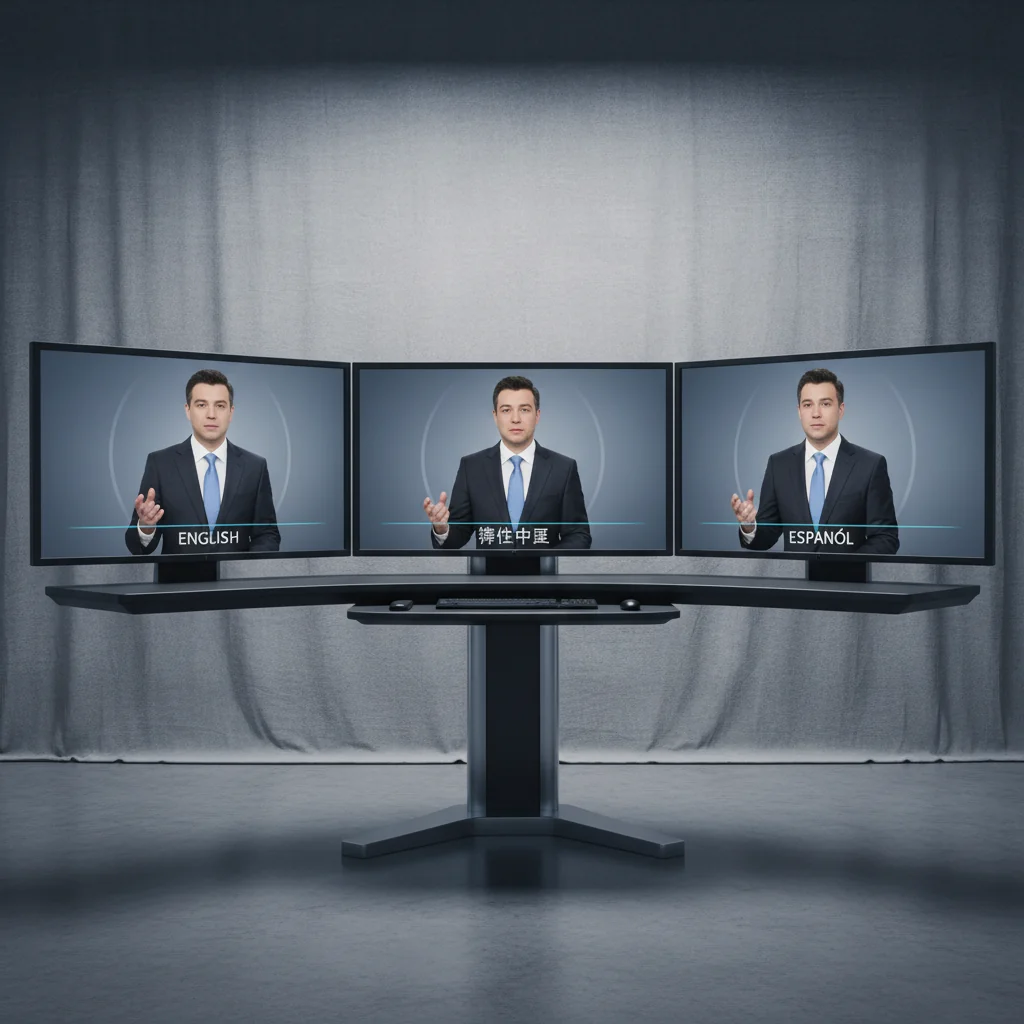
 HeyGen
 ElevenLabs
 CapCut
Corporate video has a multilingual problem, and it is a multiplication problem. Every language is another recording session, another edit, another QC pass. The English version is the cheap part. The other eleven are the project.
Avatar-based production changes that arithmetic, and this is the playbook I use.
It assumes you have settled on HeyGen. If you are still choosing, the HeyGen vs Synthesia breakdown covers which platform suits which kind of team.
Stage 1: create the avatar, once
HeyGen builds a custom avatar from a short video recording of the presenter. What the recording needs:
- Well lit, front-facing, neutral background
- Presenter speaking naturally: varied pace, normal blinking, slight head movement
- No busy patterns or distracting accessories
- 1080p minimum
That third point causes more re-shoots than the others combined. Check the wardrobe first. Fine stripes and small checks alias badly, and the result looks subtly wrong in a way people notice without diagnosing.
The output is a digital presenter that keeps the person's appearance, micro-expressions and characteristic head movement, and it then serves every video in every language without the presenter being on camera again.
Commercially: treat avatar creation as a one-time setup line. That framing is honest and it makes the rest of the programme easy to price.
Legally: get written consent covering the specific uses, and agree what happens to the avatar when that person leaves the company. This gets skipped constantly. It is also the thing that causes problems eighteen months later.
Stage 2: script, voice, translate
Write the master script in the primary language. Generate the voiceover in ElevenLabs — the presenter's cloned voice if you have it, an appropriate stock voice if not. There is more on directing a read properly in the AI audio guide.
HeyGen's pipeline then translates the script, generates the translated voiceover in the same voice character, and matches lip sync to the new audio.
Two practical notes from doing this repeatedly.
Romance languages sync best. French, Spanish and Italian map closely enough to English mouth shapes that the result holds up well. Languages further from English phonetically are more variable, and it is worth previewing those before you promise a delivery date.
Write for translation from the start. Idioms, wordplay and culture-specific references do not survive, and they produce the stiffest output. Short declarative sentences translate cleanly. So does plain vocabulary. Write for the translator. Writing the master script with this in mind costs nothing and improves every downstream version.
Stage 3: review, and never skip it
Machine translation is accurate and it is literal. It does not know that a phrase which reads as authoritative in English lands cold in German, or that a formality register appropriate in one market is rude in another.
Send each language version to a native-speaking reviewer with an explicit checklist:
- Technical accuracy of key terms and product names
- Natural phrasing, free of literal-translation artefacts
- Correct formality register for that market
- Lip sync acceptability, scored rather than described
Budget real time for this. It is the step that separates a localisation programme from a pile of subtitled-sounding videos, and it is the first thing cut when a schedule slips. Cutting it is a false economy: the failure mode is not an obvious error, it is video that native speakers find faintly off-putting and cannot explain.
The cost shape
I am going to describe the shape rather than quote precise figures, because rates vary enormously by market, language pair and agency.
Traditional localisation costs scale roughly linearly with languages. Each one needs a voice artist session, an edit and sync pass, and a QC pass. Twelve languages is close to twelve times the localisation work, and that linearity is the entire problem.
The avatar pipeline front-loads a one-time avatar setup, then adds a small marginal cost per language: generation, plus native-speaker review. The per-language marginal cost is dramatically lower and, crucially, it stays roughly flat as you add languages.
So the honest way to evaluate this is by break-even language count rather than by comparing totals. At one or two languages, traditional production may well win, and the output will be better. Somewhere around three or four the curves cross. At twelve it is not close.
Work out where your break-even sits before committing, because the answer depends on how many languages you genuinely need rather than how many you would like to have.
Where this excels
E-learning and training. The highest-volume, most cost-sensitive case, and the best fit. Nobody needs a performance from a compliance module. They need clear information from a consistent presenter.
Internal communications. Policy updates, announcements, process changes. Content that must be current, gets revised often, and would never justify a shoot.
Product documentation. Especially where the product changes, since regenerating is trivial and re-shooting is not.
Where it should not be used
Brand films. This is not that pipeline. Used there, it reads as cheap.
Anything with emotional stakes. Restructuring announcements, apologies, bereavement notices. If a message matters emotionally, a real person delivers it. Using an avatar signals that you could not be bothered. That is worse than sending an email.
Founder and leadership storytelling. The credibility comes from it being genuinely them, unmediated. An avatar removes exactly the thing that made it work.
Which languages to start with
Do not launch twelve at once. Pick two for the first run, and pick them deliberately.
Choose one language you have a native speaker for internally, so your first review cycle is fast and honest. Choose one Romance language, because those sync best and will show the pipeline at its strongest.
Ship those two, learn what your review process actually costs in time, then scale. Teams that go straight to a full language set discover their review bottleneck at the worst moment, with eleven versions queued behind it.
A note on disclosure
Tell people. Not in a legal footer, just do not construct the video to imply a live recording when it is not one.
For internal training this is a non-issue. For anything customer-facing it is a real decision, and the honest option is also the low-risk one. There is more on that question in our HeyGen vs Synthesia comparison.
If you want this pipeline run for you rather than built in-house, it is one of the workflows covered by AI video production here, and you can start a project with a brief.
Generate cinematic AI video, from €15
31 AI models. No subscription. Buy credits, generate on demand, own the results outright.
Also on Android. The AI Videos Studio app, with the same account and credits.