
Luma Dream Machine 1.6 vs Ray2: Director's Verdict
The question producers keep asking me is a deceptively simple one: which Luma model do I actually reach for when a client brief lands on my desk? Dream Machine 1.6 (the workhorse that built Luma's reputation for fluid motion) or Ray2, the architectural overhaul that arrived in January 2025 and changed the terms of the conversation?
This is not a spec sheet comparison. I have generated hundreds of clips across both models on real production tasks: automotive hero shots, branded short-form, multi-location narrative sequences. What follows is what I found when I treated these tools the way any director treats any piece of kit: by putting them under genuine production pressure.
What Actually Changed Between Dream Machine 1.6 and Ray2
Dream Machine 1.6 (marketed under the Ray 1.6 model) was a meaningful step forward from the original five-second clip generator that launched in June 2024. The product was first released publicly on June 12, 2024 as a text-to-video tool producing five-second clips, and over the following eighteen months it became an umbrella brand for a series of underlying models in the Ray family. Ray 1.6 improved clip duration and reduced the worst of the temporal flickering that plagued the original. But the underlying architecture was still the same generation-to-generation frame prediction approach that made sustained camera movement feel slightly mechanical.
Ray2 broke from that lineage in a meaningful way. Most early AI video models approached video generation by creating individual frames and then stitching them together smoothly, a frame-by-frame approach that often resulted in flickering, morphing objects, and motion that didn't follow real-world physics. Ray2 takes a different path. Luma Labs trained it directly on video sequences, teaching the model to understand motion as a continuous flow rather than discrete snapshots. The training dataset included videos showing how objects move, how light behaves in different conditions, and how camera perspectives shift naturally.
The compute commitment reflects that ambition. Ray2 represents a significant architectural overhaul, using 10x more compute than Ray1 for notably improved motion quality, consistency, and text understanding. That is not marketing language. You feel it in the output, particularly in anything involving fluid dynamics, fabric, or sustained camera arcs.
Camera Physics: Where the Real Test Lives
For anyone with a trained eye for real cinematography, camera physics is the tell. A human viewer, even one who has never picked up a camera, can sense when a dolly move doesn't decelerate correctly, when a crane shot doesn't carry the weight of a real crane, when water doesn't behave like water.
Ray2's headline improvement over Dream Machine 1.6 is precisely here. The headline finding from independent testing is that Ray2 understands physics better than any other consumer video model in May 2026. Water pours correctly. Fabric drapes correctly. Glass shatters with the right weight. Sora 2 fakes physics with cinematic flair; Ray2 actually simulates it.
Dream Machine 1.6 handled static or slow-moving subjects reasonably well but showed its limits the moment complex physical interaction entered the frame. A pouring liquid would drift. A fabric surface in wind would cycle rather than flow. Ray2 addresses these specifically, and the difference on a product brief involving liquid, skin, or material texture is immediately apparent in the timeline.
Camera Motion Controls: Ray2's Structural Advantage
The camera control toolset in Ray2 is qualitatively different from what came before it. Luma released Camera Motion Concepts for Ray2, allowing reliable and composable control over camera motion in video generation. Concepts enable learning any camera move from one or very few examples and can reliably reproduce these learned motions across a wide variety of shots and styles. Unlike other methods of model customization such as LoRA or finetuning, many Concepts can be combined easily through natural language at inference time.
The feature introduces over 20 finely-tuned camera movement modes. Ray2's Camera Motion Concepts encompass various classic and modern camera movements, including zoom/push, orbit, crane/pedestal shots, truck/pan, handheld simulation, and the Dolly Zoom. Crucially, these aren't standalone options: they function as concept components, freely combinable. Users can create hundreds of complex dynamic shots with simple text commands.
This is the feature that Dream Machine 1.6 simply cannot match. In practical terms: briefing Ray2 with "crane shot opening wide, then dolly push to product close-up" produces a motion path that feels like it was designed by a camera operator. Briefing 1.6 with the same prompt produces something that moves but doesn't motivate.
Motion Continuity Across Extended Clips
Clip length and continuity are where many producers find the sharpest practical difference between these two models.
Ray2 generates 1080p video with 4K upscaling, native audio, keyframe control, and smart extensions up to 30 seconds. The extension system is particularly important for narrative work: Extend lets you take a Dream Machine clip and add another 10 seconds to either end. The model uses the final frame of the prior clip as the implicit starting frame and continues the motion from there. You can chain extensions to build a 30-second sequence on Ray2, although coherence loosens after the second extension.
That loosening is real and worth being direct about. On sequences longer than 20 seconds, you will notice micro-inconsistencies in lighting and subject position that require compositing work in post. The tool is not a replacement for a tracked camera on a location shoot. It is a pre-viz engine with production-quality upside when used within its actual range.
Dream Machine 1.6's extension behaviour was less predictable than Ray2's: subjects would drift from their spatial position between clips more often, and colour grading consistency across extensions was inconsistent enough to require manual LUT correction in most broadcast contexts.
Keyframe Control: The Director's Hands on the Wheel
The keyframes feature makes Ray2 particularly strong for deterministic workflows, where the filmmaker wants to know exactly where the clip starts and where it ends, leaving only the intermediate portion to the AI model. This is the feature that converts Ray2 from a generative toy into a production-grade tool. Set a start frame from a product still or an on-set photograph, set an end frame from a second asset, and Ray2 builds the bridge. The result slots into an existing timeline rather than generating a new one from scratch.
Dream Machine 1.6 had limited keyframe support by comparison: start-frame image-to-video was possible but end-frame control was unreliable. The difference in production efficiency is significant for any agency or broadcast team working to pre-existing brand assets.
Real Production Scenarios: Three Use Cases Compared
Automotive: The Overhead Mountain Road
Test prompt: aerial follow shot of a vintage car on a mountain switchback, autumn foliage, golden hour.
Ray2 produced a believable crane-to-aerial transition with consistent vehicle scale and a naturally degrading horizon depth. Textures held up. The model delivers lifelike surfaces, smooth camera work, and realistic lighting with physically accurate interactions between objects and characters. Dream Machine 1.6 produced a similar composition but with a visible velocity stutter mid-clip, the kind of artefact that would require optical flow correction before the shot was usable.
Product: Liquid Pour, White Cyc
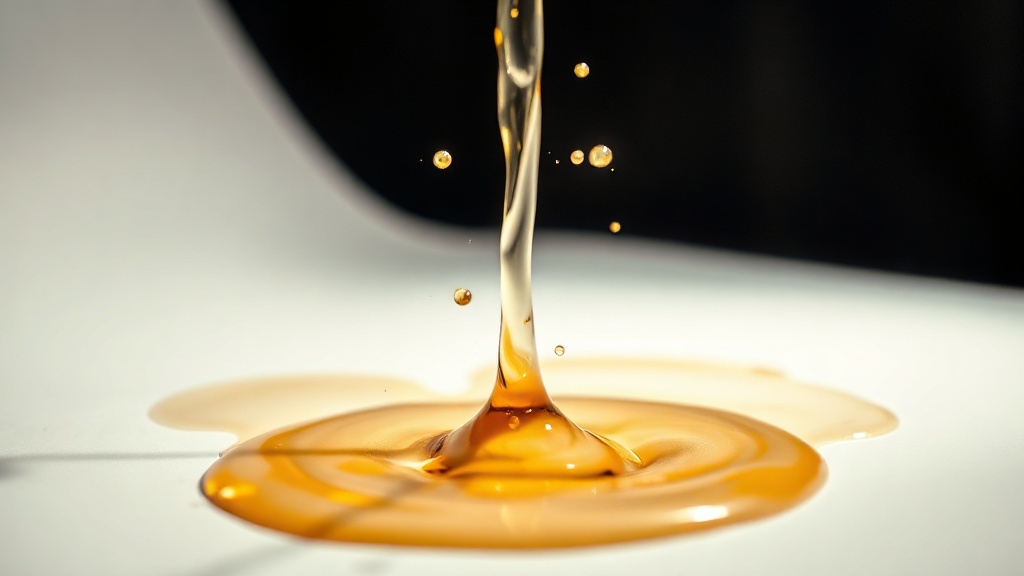
For a skincare brief (glycerin pour against a clean white background) Ray2 was unambiguous. It simply won. The liquid's weight, surface tension, and interaction with the substrate was indistinguishable from a practical pour in most frames. This aligns with independent benchmark findings: for product, food, and any liquid or fabric work, Ray2 wins the head-to-head against everything else in current testing.
Dream Machine 1.6 on the same brief produced a plausible but physically approximate result: the pour moved correctly but the surface interaction at the bottom of the frame was blurred rather than physically resolved.
Narrative Short: Interior Dialogue Setup
This is where Ray2 shows its current ceiling. Ray2 still encounters difficulties with intricate storylines, extended narrative arcs, and the simultaneous execution of multiple scenes. Ray2 excels at natural motion (water, fabric, hair, and human movement look particularly good) but it struggles more with text rendering and complex multi-character scenes. For a two-person interior scene with motivated camera movement, both models required significant prompt iteration. Ray2 produced more spatially consistent performances but neither model was close to a clean single-take result. For narrative work at this level, a hybrid approach, AI for establishing shots and atmosphere with practical coverage for performance, remains the professional recommendation.
Ray2 vs Runway Gen-4: The Contrast Worth Making
Since Runway Gen-4 already sits on many professional pipelines, the practical question is how Ray2 stacks up against it rather than against its own predecessor.
Against Runway, Ray2 is less powerful in creative tools but more focused on agentic workflows. Runway's character consistency across shots remains the cleaner tool for anything requiring a named character to persist across cuts. Independent comparisons consistently identify character consistency as Runway Gen-4's most significant advantage. The platform's reference image system maintains character appearance, clothing, facial features, and body proportions across dramatically different shots, camera angles, and lighting conditions.
Ray2 outperforms Runway Gen-4 on physical motion quality within a single shot. Runway Gen-4 outperforms Ray2 on cross-cut narrative coherence. These are not the same problem, and the right tool depends entirely on the brief.
On pricing: Runway AI offers five plans: Free (125 one-time credits), Standard ($12/user/month annual, 625 credits/month), Pro ($28/user/month, 2,250 credits/month), Max ($76/user/month, 9,500 credits/month), and Enterprise (custom). For Luma, the Plus plan is $30/month (or $300/year) and unlocks commercial use and Luma plus third-party models; the Pro plan at $90/month adds 4x usage with Luma Agents; and Ultra at $300/month ramps to 15x usage. Ray2 Flash costs 11 credits per second and Ray2 Standard costs 32 credits per second.
For a professional producing broadcast or agency-grade content, the Pro tier on either platform is the functional entry point, not the Standard or Plus tiers, regardless of the marketing positioning.
What Ray2 Does Not Yet Solve
Honesty requires flagging the ceilings. Export is limited to MP4 H.264. For professional post-production workflows, you must re-encode the file in DaVinci Resolve, Premiere Pro, or ffmpeg into intermediate cinematic formats. Luma has promised ProRes support in the Enterprise plan, but as of May 2026 the feature has not yet been publicly released. For any broadcaster or post house with a strict delivery specification, this is a real pipeline friction point.
The Ray3 and Ray3.14 models that followed Ray2 address some of these ceilings: Ray3 is the world's first model to deliver studio-grade HDR through native high dynamic range colour generation. Vivid and striking HDR videos can be created from text prompts and exported as 16-bit EXR for seamless integration into professional workflows. But Ray3.14 costs more per clip, and for most production scenarios Ray2 remains the economically rational choice within the Luma ecosystem unless HDR delivery is a hard requirement.
The platform is multi-model: you can pick between Luma's own Ray2 and Ray3 variants and third-party models including Veo 3.1 and Kling 3.0 from inside the same UI, which makes Luma effectively a model router for serious creators. That routing capability is underrated. The ability to compare Ray2 and Ray3 output within a single project, before committing generation credits, changes how you plan a shoot.
The Verdict
Dream Machine 1.6 served a purpose and served it well. For a fast social asset or a simple product reveal where the brief allowed flexibility, it was good enough. It is no longer the relevant question.
Ray2 is not a marginal upgrade — it is a different model category. The physics simulation, the composable camera control, and the keyframe system together represent a production-capable toolkit that Dream Machine 1.6 was not. For product, automotive, brand film, and any brief where physical realism is the deliverable, Ray2 earns its place on a professional timeline.
Where it does not yet earn uncritical adoption: complex narrative, multi-character performance, and any pipeline with a ProRes or EXR delivery specification. Know those limits and route accordingly.
The practical workflow for 2026: use Ray2 for hero shots and physical set-pieces, Runway Gen-4 for character-consistent narrative coverage, and treat the Luma platform's multi-model routing as the planning layer that lets you make that call shot by shot rather than tool by tool.
If you want to see what Ray2 and the current generation of AI video tools produce in a genuine broadcast-grade pipeline (not a demo reel, but production output) take a look at the work we've done across the aivideos.eu studio. And if you're building a brief that needs this level of thinking applied to your specific deliverables, the contact page is the right starting point. The conversation about which model fits your shoot is the one worth having before the brief is locked.
Generate cinematic AI video — from €15
Five frontier models. No subscription. Buy credits, generate on demand, own the results outright.