Pika 2.5 Review: Physics, Camera Control & Scene Extension Tested
A production-focused Pika 2.5 review testing the physics model, camera control, and scene extension for real client workflows, with honest verdicts.
Pika 2.5 Review: Physics, Camera Control & Scene Extension Tested for Production Work
There is a version of this review that leads with enthusiasm. Pika has done something genuinely interesting with its 2.x release series, and version 2.5 is the most production-relevant release the platform has shipped. But enthusiasm without specificity is useless to a director evaluating tools for client work. So this review does the thing most coverage skips: it puts Pika 2.5's headline changes (the physics interaction model, layered camera control, and scene extension) through workflows that reflect real production constraints, then compares them honestly against the competition.
If you need the short answer: Pika 2.5 earns a place in the toolkit, but its role is specific. It is the best value and the fastest path to a social-ready clip in 2026, not the tool you reach for when a brief demands photoreal cinema or synced dialogue. Know what that role is before you commit budget to it.
Try Pika 2.2 in AI Video Studio
This review tests Pika 2.5 in Pika's own app. Our AI Video Studio runs Pika 2.2, the version available to us through the API for text-to-video, image-to-video and Pikaframes keyframe interpolation. When we checked the API schemas on 12 October 2026, Pika 2.5 was available through that API for image-to-video only, with no text-to-video and no Pikaframes. So 2.2 is the full Pika toolset we can run, and the physics, camera-control and scene-extension findings below belong to 2.5 in Pika's app, not to the Studio version.
What 2.2 does in the Studio, priced in credits on one balance with no subscription:
| Mode | What you give it | Length | Studio price |
|---|---|---|---|
| Text to video | A prompt, in one of seven aspect ratios from 9:16 to 16:9 | 5 or 10 seconds | 15 credits for 5 seconds at 720p, 34 at 1080p |
| Image to video | A prompt and a start frame | 5 or 10 seconds | Same as text to video |
| Pikaframes | A prompt and 2 to 5 keyframes, in order | 5 to 25 seconds in total | 15 credits for 5 seconds at 720p, 23 at 1080p |
On text and image to video, a 10-second clip costs twice the 5-second price. Pikaframes moves through your keyframes in the order you add them and shares the length you pick evenly between each pair, so the price depends on the length alone, not on how many keyframes you use. None of the three modes generates audio. The Key facts box on this page is read from the Studio's live configuration, so it stays current if those prices move.
Open Pika 2.2 in the Studio and start with a 5-second 720p test before committing to 1080p.
What Changed in 2.5
Unlike earlier jumps in the 2.x line, 2.5 is less about bolting on new modes and more about raising the quality and control of what was already there. That is a meaningful shift in emphasis, and for production work it is the right one.
Three changes matter most:
A physics-based interaction model. Pika 2.5 introduces an interaction model that understands concepts like weight and fluid dynamics. In practice this means objects fall, splash, and collide with more believable behaviour. It is also what powers the viral Pikaffects suite, where you apply a pre-set physics simulation (crush it, inflate it, melt it) to a subject. For social content, this is the most shareable thing Pika does.
Layered motion and camera control. 2.5 is the first Pika release that treats camera language as a first-class citizen. You can influence camera direction, subject action, and environmental motion at the prompt level rather than hoping the model infers your intent. For directors, controllable camera movement is the difference between a clip you can use and a clip you have to regenerate five times.
Scene extension. Generations can now build past the original clip boundary by treating the final frames as conditioning context for the next pass, pushing native clips to roughly 15 seconds, with iterative extension reaching about 25 seconds via Pikaframes. That does not make Pika a long-form tool, but it materially widens the window before you start stitching.
Underneath all of it, the quality bar moved: reduced morphing so characters stay more consistent frame-to-frame, higher textural detail (leather grain, brushed aluminium, fabric weave reading true), and prompt adherence reliable enough that you stop reshooting and start shipping.
The Physics Model and Pikaffects, Properly Tested

Pikaffects is the feature people screenshot. Drop in a subject (a product, a character, an object), pick an effect, and the model applies a physics simulation: the thing crumbles, inflates, dissolves, or gets crushed with motion that reads as physically plausible rather than a morph.
The workflow is genuinely fast. Upload an image, choose the effect, generate. For short-form social, whether that's a product reveal, a scroll-stopping transition or just a playful brand moment, it performs well, and the 2.5 physics model is a visible step up on the older Pikaffects behaviour. Materials hold together better, motion has weight, and the morphing artefacts that plagued earlier versions are noticeably reduced.
Where It Works
For a punchy social hook (a 3-to-6-second effect clip designed to stop a thumb on a feed) Pikaffects is excellent. It is the single best reason a social-first creator picks Pika over a more "serious" cinematic tool. The output is stylised by design, and stylised is exactly what performs on Reels and TikTok.
Where It Breaks Down
The physics model is convincing for discrete, single-subject effects. It is far less convincing for complex multi-object interaction: several elements colliding with each other, or fine-grained fluid behaviour at the edges of a frame. It does not hold up under a broadcast monitor or against a client who has seen high-end VFX. And as with every Pika release, there is a duration reality: quality is strongest in the 3–6 second range, and while scene extension pushes the ceiling, coherence still softens the longer a single shot runs.
Scene Ingredients and Scene Extension: Compositing Without a Compositing Suite
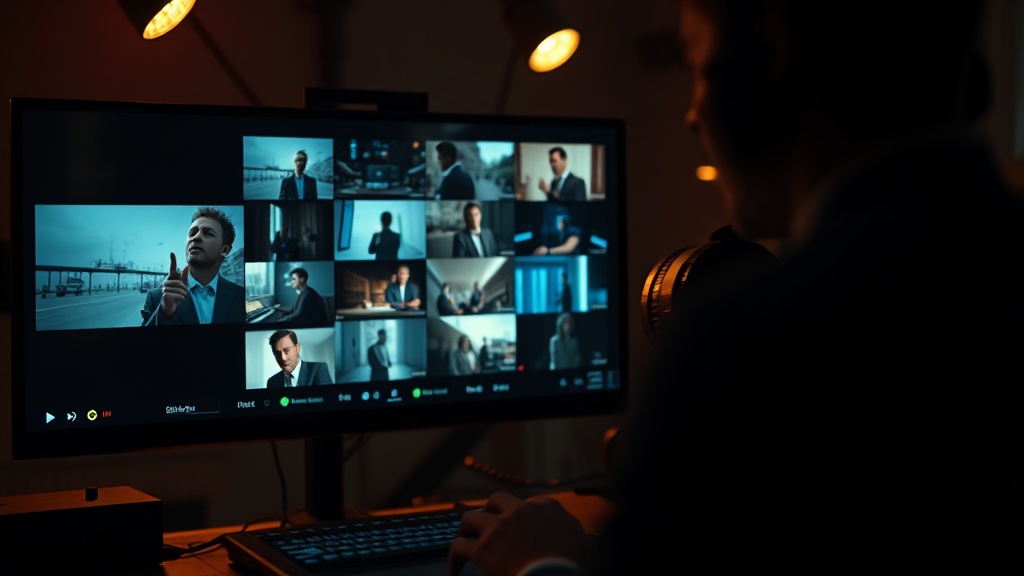
Scene Ingredients, carried forward and refined in 2.5, lets you upload multiple reference images (a person, a background, an object) and have Pika composite them into a coherent video scene. It is essentially AI-powered green screen without the green screen. Paired with 2.5's scene extension, you can now take that composited shot and push it past the original clip boundary, which is where the workflow gets genuinely useful for production.
Practical Use Cases
Product advertising: Upload a product shot, a model image, and a background to generate a lifestyle ad without a shoot, then extend the shot to give an editor room to cut. Compositional coherence still depends heavily on input image quality and matching lighting; images shot under different colour temperatures will fight each other, and Pika cannot fully correct for it.
Brand moments: Drop a mascot or product into Scene Ingredients, add a branded environment, apply a Pikaffect for the hook. The result is social-ready and surprisingly polished for the effort involved.
Storyboard previsualisation: For live-action projects, compositing reference photography into rough scene layouts gives clients a spatial idea of shots before a camera rolls. Doing it in minutes rather than days, with a tool that costs $28/month, changes the economics of previs.
Limitations to Know Before You Promise a Client
Character consistency across multiple clips remains the genuine limitation. Pika trails Runway and Sora in photorealism and still struggles with identity consistency across complex multi-shot sequences. 2.5's reduced morphing helps within a shot, but if you need the same person across a five-clip sequence with an identical look and feel, this is not the tool. Excellent for one-shot compositions. Frustrating for multi-clip narrative continuity.
Pika 2.5 vs. the Field: Where It Actually Sits in 2026
The honest 2026 comparison is not "is Pika the best." It is "best at what." On the Artificial Analysis text-to-video benchmark, Runway Gen-4.5 holds the top position around 1,247 Elo in early 2026. Sora 2 was the gold standard for photorealism and physical accuracy, at the cost of generation times measured in tens of minutes per clip, versus Pika's seconds in Turbo mode, until OpenAI shut it down (the app in April 2026, the API on 24 September 2026). Kling 3.0, released in February 2026, added native 4K output, a per-shot storyboard tool, and native lip-synced audio in a single pipeline.
That last point is the one to underline for anyone evaluating Pika for dialogue work: Pika 2.5 still generates no native audio or speech. It does sound effects via Pikaffects, but for a talking-head with synced voice, the model does not produce the audio for you. Competing systems like Kling 3.0 generate video and audio together, as Sora 2 did before its shutdown, and that is a real gap.
So the decision tree:
- Fast, stylised social clips and physics effects → Pika 2.5. Best value, fastest turnaround.
- Photoreal cinematic shots → Runway Gen-4.5 (Sora 2 shared this slot until its shutdown in September 2026).
- Multi-shot sequences with native audio → Kling 3.0.
- Directed character performance from a human reference → Runway Act-Two.
Pricing: What You Actually Get Per Month
Pika pricing in 2026 spans four tiers: Basic (Free), Standard at $8/month billed annually, Pro at $28/month, and Fancy at $76/month billed annually.
Pika Labs does not price video generation the way most SaaS tools do. Instead of a flat rate for unlimited use, the platform runs on a credit system where every generated clip consumes credits based on resolution, duration, and generation mode.
The numbers that matter for production work:
- The Free plan provides 80 monthly credits but is capped at 480p and adds a watermark: fine for kicking the tyres on Pika 2.5, not for client deliverables.
- A 10-second 1080p video costs around 80 credits, meaning the Standard plan's 700 credits supports only 8–9 high-resolution clips per month before credits run out.
- Pika Pro at $28/month is the first tier that realistically supports regular content creation: 2,300 credits translates to roughly 28 full 1080p 10-second videos per month.
- The Fancy plan at $76/month provides 6,000 credits, designed for agencies and teams generating large volumes.
The honest read: Standard is an evaluation tier for most working directors. Pro is the production minimum. Fancy makes sense only if you are running multiple concurrent client campaigns.
One practical note on credit burn that rarely appears in reviews: regenerating clips to refine motion or composition multiplies consumption fast, and scene extension and higher resolutions cost more per second. Budget for iteration, not just final renders.
The Honest Verdict
Pika 2.5 has earned a specific role in a professional AI video stack, and the specificity is important. It is not a general-purpose cinematic tool. Pika positions itself as the fastest and most accessible video platform, targeting social media creators, content marketers, and creative experimenters rather than professional filmmakers. That self-awareness is worth taking at face value.
What Pika 2.5 does exceptionally well: physics-driven effects via Pikaffects, rapid compositing with Scene Ingredients, controllable camera movement, and short-form stylised content with output that now extends to a usable length. The 2.5 quality jump (less morphing, more texture, better prompt adherence) is real and welcome.
Where it runs out of runway: multi-clip character consistency, anything requiring broadcast-quality realism, and any brief that needs synced dialogue or music, where the lack of native audio sends you to Kling 3.0 (Sora 2 was the other option before its shutdown).
Stack it accordingly: Pika 2.5 on Pro for social effects and compositing, ElevenLabs for any voice layer you need to add in post, Kling 3.0 when realism or native audio is the brief (Sora 2 filled that role too until OpenAI shut it down), and Runway Act-Two when a client demands directed character performance. Those tools together cover the majority of what brands and mid-market clients are actually commissioning in 2026.
Work With Directors Who Know These Tools
Knowing which tool to reach for, and which to leave in the bag, is craft knowledge that takes time to develop. At aivideos.eu, we have built our production workflow around exactly this kind of stack thinking: matching the right AI tool to the right brief rather than defaulting to whichever platform has the most impressive demo reel.
If you are evaluating whether AI-assisted production can serve your next campaign, our services page sets out how we work and what clients can expect. Or if you have a specific brief in mind and want a direct conversation about whether Pika, Kling, ElevenLabs, or a combination makes sense for it, reach out through the contact page. We will give you a straight answer.
Generate cinematic AI video, from €5.99
35 AI models. No subscription. Buy credits, generate on demand, own the results outright.
Try Pika on your phone. The AI Videos Studio app, with the same account and credits.