Flux 3 Video: Keyframes, Draft Mode, Extend and the Real Cost
Flux 3 is Black Forest Labs' video model: 5 to 20 second clips with native audio, up to ten keyframes, a cheap draft mode and a continuation tool. It is not free and not open source yet. What it does, what it costs per second and in credits, and how it did in our own 48-render test. Checked on 12 October 2026.

Short answer first. Flux 3 is Black Forest Labs' video model: clips of 5 to 20 seconds with native audio, made from a prompt, a start image or up to ten keyframes, with a cheap draft mode and a tool that continues an existing clip. It costs $0.17 a second at HD on BFL's API, and in the Studio a 5-second clip costs 18 credits as a draft, 51 at 720p or 87 at 1080p. It is not free, and its weights are not public yet.
Flux 3's reason to exist on a crowded roster is control. Keyframes let you decide where the shot goes rather than hoping the prompt gets it there.
What Black Forest Labs Released, and When
BFL announced FLUX 3 on 23 July 2026 as "our new multimodal foundation model", trained jointly on images, video and audio. Video went into early access that day. On 4 August 2026 BFL made FLUX 3 Video generally available through its API and selected partners.
What BFL says the video model does:
- Clips up to 20 seconds, with dialogue, sound effects and ambient sound generated in the same pass.
- HD output, with Full HD produced by upscaling. Native generation is HD.
- Text-to-video, image-to-video and keyframes, with multiple scenes and camera angles in one clip.
- Draft mode, a fast, low-cost preview that keeps the same subjects, composition and motion when you approve it for a full render.
- Video continuation, which takes up to four seconds of existing video and audio and carries the movement, camera and sound on across the seam.
BFL also claims first place on its own Elo rankings for text-to-video and image-to-video, ahead of Gemini Omni Flash, MiniMax H3 and Seedance 2.0. Those are tests BFL ran itself. Our own results, further down, are less flattering.
FLUX 3 Image has been announced, with early access promised "in the following weeks" in July. BFL's own model list still shows FLUX 3 as a video model only, so for stills the current BFL models are the FLUX.2 family, covered in our Flux 2 Pro vs Max guide.
The Four Modes in the Studio
The Studio puts Flux 3 on one tile with a Mode switch, because the four modes do different jobs:
| Mode | What it does | Inputs |
|---|---|---|
| Generate | A new clip from a prompt, with optional start and end frames | Prompt, up to 2 frames |
| Keyframes | A new clip that passes through images you pin to chosen moments | Prompt, up to 10 keyframes |
| Extend | Continues an existing clip | An MP4 under 50MB and under 15 seconds |
| Enhance | Re-renders a draft you liked at full 1080p, with audio | A finished Flux 3 draft, no prompt |
Generate, Keyframes and Extend run 5 to 20 seconds, in seven shapes: 16:9, 9:16, 1:1, 4:3, 3:4, 21:9 and 2:1. Enhance keeps whatever length and shape the draft had. Audio is on by default.
Keyframes are the headline. Pin a product at frame one, the same product turned three-quarters at second three and a close-up at second five, and the model fills the moves between. A start-and-end pair is simply a two-keyframe clip, and an end frame on its own works too, at the same price per second.
What Flux 3 Costs
BFL prices per second of output, audio included. These are the rates fal charges for the same endpoints, which is what the Studio pays:
| Per second | Draft | HD (720p) | Full HD (1080p) |
|---|---|---|---|
| New clip (text or image to video) | $0.06 | $0.17 | $0.29 |
| Extend (video to video) | $0.12 | $0.41 | $0.53 |
And in Studio credits, straight from the Studio's price table:
| Clip | Draft | 720p | 1080p |
|---|---|---|---|
| Generate or Keyframes, 5s | 18 | 51 | 87 |
| Generate or Keyframes, 10s | 36 | 102 | 174 |
| Generate or Keyframes, 20s | 72 | 204 | 348 |
| Extend, 5s | 36 | 123 | 159 |
| Enhance a draft to 1080p, 5s | 87 |
Enhance bills 17.4 credits for each second of the draft it upgrades. Extend is the dearest mode by a distance, because the provider charges up to two and a half times as much per second to continue a clip as to start one.
Draft Mode, Done Properly
Draft-then-enhance is not a discount on a single clip. A 5-second draft at 18 credits plus Enhance at 87 comes to 105, against 87 for rendering straight at 1080p.
The saving comes from the takes you throw away. Say a shot needs three attempts before one is right. Three straight 1080p renders cost 261 credits. Three drafts and one Enhance cost 141. The more a shot needs exploring, the more draft mode earns, and for a shot you already know will land first time, go straight to 1080p.
Draft renders are 720p only, and a draft has to finish before Enhance can use it.
How Flux 3 Did in Our Own Test
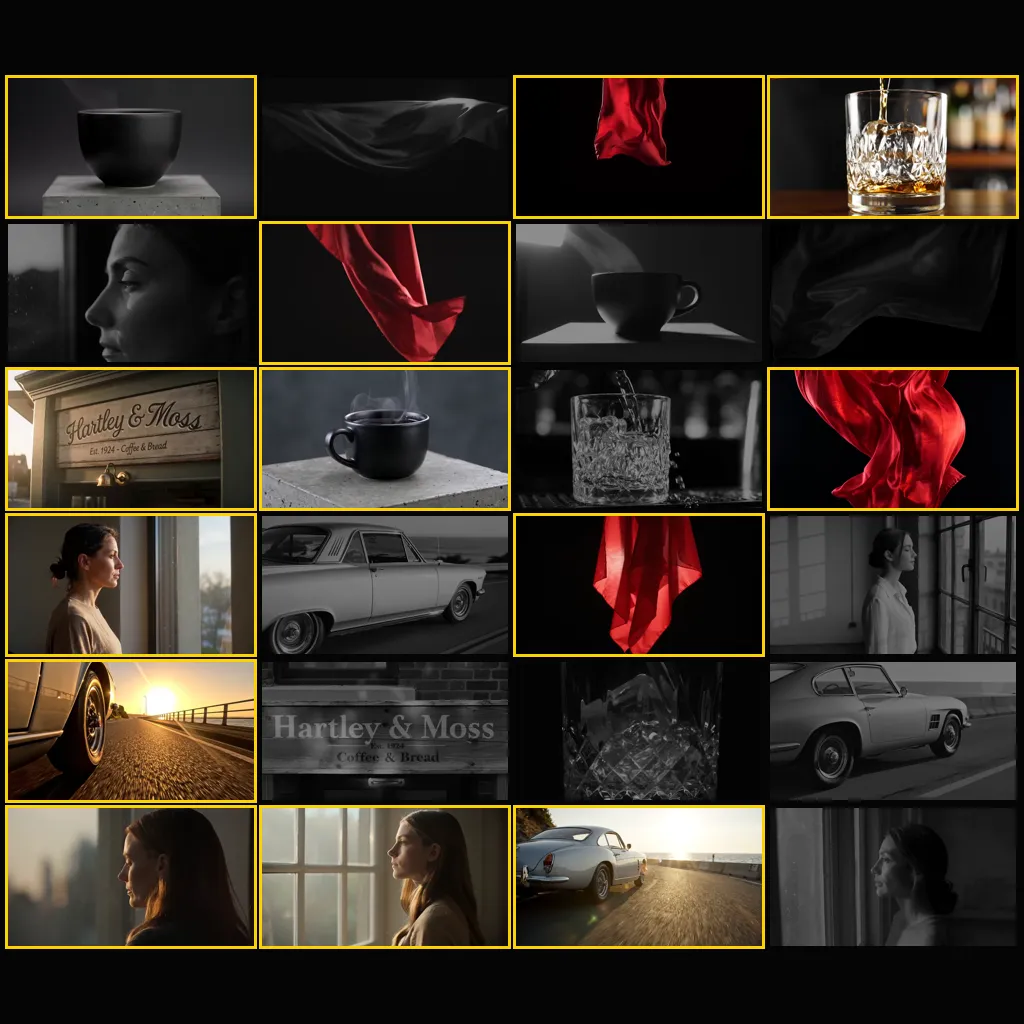
We ran Flux 3 through the same six shot briefs as seven other video models, one take each at 5 seconds and 720p, and judged every clip as a director would for a client. The full write-up is in 48 renders, 8 models, 13 usable.
Flux 3 delivered one of six: the rotating product hero, a matte black cup turning on a concrete plinth. Only Flux 3 and Wan 3.0 got that shot right, at $0.85 and $0.50 a render. It missed the dolly-in on a face, the liquid pour, the car tracking shot, the fabric shot and the in-frame text.
Two caveats matter. BFL published no prompting guidance for Flux 3 when we ran the test, so it got a neutral cinematic description rather than a prompt shaped for it. And the test used Generate, not Keyframes, which is the mode Flux 3 is really built around. A product turntable pinned with keyframes is the obvious next test, and it is on our list.
Is Flux 3 Free or Open Source?
Not free. BFL and fal charge for every second, and the Studio's cheapest Flux 3 clip, a 5-second draft at 18 credits, costs more than the 9 credits a day a free account is topped up with. Free accounts can still try video on cheaper models, and our guide to the best AI video generator in 2026 sets out which ones.
Not open source yet. BFL offers private weight access to some customers and lists FLUX 3 Dev as a coming open-weight variant, with no date.
Where Flux 3 Fits
Use Flux 3 when the shot has to hit specific positions: a product that must end on its label, a reveal that must land on a set frame, a move that must match the next cut. Keyframes make that a setting rather than a gamble.
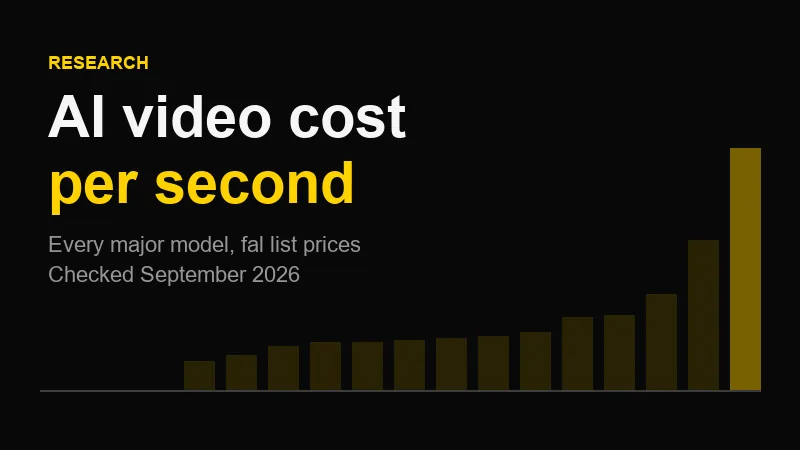
Reach for something else when the brief is a face, a pour or a fast tracking shot, where it missed in our test. For long single takes with audio at a low rate, Wan 3.0 did better on our briefs. For a cheap first pass, Gemini Omni Flash 1.1 is the Studio's Google model now. The cost-per-second comparison puts all of them on one table.
Flux 3 generation also runs in the Studio's Android app. Extend and Enhance are web-only for now, because both start from an existing clip.
Flux 3 Questions, Answered
What is Flux 3? Flux 3 is Black Forest Labs' multimodal foundation model, announced on 23 July 2026. Its first public form is FLUX 3 Video, generally available through BFL's API and partners since 4 August 2026. It makes 5 to 20 second clips with native audio, from text, a start image or up to ten keyframes, and can continue an existing clip.
How much does Flux 3 cost? Black Forest Labs charges per second of output with audio included: $0.06 for a draft, $0.17 at HD and $0.29 at Full HD for text-to-video or image-to-video, and $0.12, $0.41 and $0.53 for video-to-video. In the AIVideos Studio, a 5-second Flux 3 clip costs 18 credits as a draft, 51 at 720p and 87 at 1080p.
Is Flux 3 free? No. Flux 3 is a paid API model with no free allowance on the provider's side, and its weights are not public. In the AIVideos Studio the cheapest Flux 3 clip, a 5-second draft, costs 18 credits, which is more than the 9 credits a day a free account receives, so Flux 3 needs a credit pack.
Is Flux 3 open source? Not yet. FLUX 3 Video is available through Black Forest Labs' API and partners, with private weight access for some customers. BFL's roadmap lists FLUX 3 Dev as an open-weight variant but gives no release date.
What are Flux 3 keyframes? Keyframes are images you pin to chosen moments in a clip, and Flux 3 generates the motion between them. In the AIVideos Studio you can pin up to ten keyframes in a 5 to 20 second clip, at the same per-second price as a normal Flux 3 render. A start frame and an end frame work as a two-keyframe clip, and an end frame on its own works too.
Is Flux 3 good? In our own test of eight video models on six shot briefs, Flux 3 delivered one usable clip out of six: the rotating product hero, which only it and Wan 3.0 got right. It missed the dolly-in, liquid pour, car tracking, fabric and in-frame text shots. That is one take per brief with a neutral prompt, so treat it as a starting point rather than a verdict.
Try a Keyframed Shot
Build the frames first, on Flux 2 Pro at 3 credits a still, then pin them into a Flux 3 draft for 18 credits and enhance the take that works. All of it runs in the Studio. If the brief is a finished commercial rather than a test, our production team directs it end to end.
Generate cinematic AI video, from €5.99
35 AI models. No subscription. Buy credits, generate on demand, own the results outright.
Try Flux 3 on your phone. The AI Videos Studio app, with the same account and credits.