GPT Image 2.6 Is Live: GIFs, SVG Vectors and 4K Stills, Tested
OpenAI released GPT Image 2.6 on 4 November 2026 in two variants, Flare and Sunburst. It adds animated GIF output, SVG vector output, a planning control and sizes up to 3840px. We ran 15 paid test renders the next morning, measured what each one actually cost, and put both variants live in AI Videos Studio from 3 credits.
OpenAI shipped GPT Image 2.6 yesterday, 4 November 2026. By this morning both variants were generating in our Studio, priced from real renders rather than a guess. This is what I found running 15 paid test images through it, including the three-way comparison against the GPT Image models we already carry.
The short version: the image quality is a step up, the new formats are genuinely useful for production work, and the cheap tiers cost more than they did on 2.5. That last part matters if you were planning to batch thousands of drafts.
What actually changed
GPT Image 2.6 keeps the split OpenAI introduced with 2.5. There are two models, not one:
- Flare is the fast, general-purpose variant. OpenAI says it can return an image in as little as six seconds at low quality, and positions it for posters, product imagery and layouts.
- Sunburst spends longer per image for finer detail and, in OpenAI's words, keeps details "more consistent from one edit to the next".
The new capabilities sit on top of that:
- Animated GIF output. Up to 16 frames, with frame timing from 20 ms to 2 seconds.
- SVG output. A real vector file with editable paths and shapes, not a traced bitmap.
- A planning control. OpenAI calls it complexity, and fal exposes it as reasoning effort. It sets how much the model plans the layout before it draws.
- Markup editing. Scribble on a copy of your image to show what should change.
- Sizes to 3840 pixels on the long edge, any shape up to 3:1.
OpenAI also claims both API models are 50% faster than before. It doesn't say faster than what, at which quality, or at which size. My own timings are further down.
The same prompt on three GPT Image models
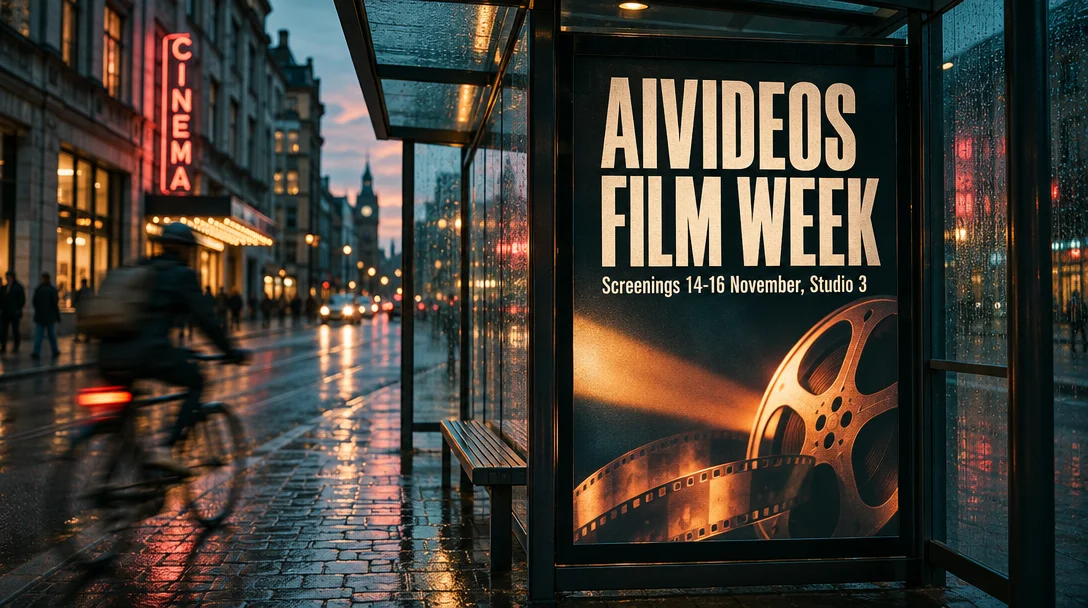
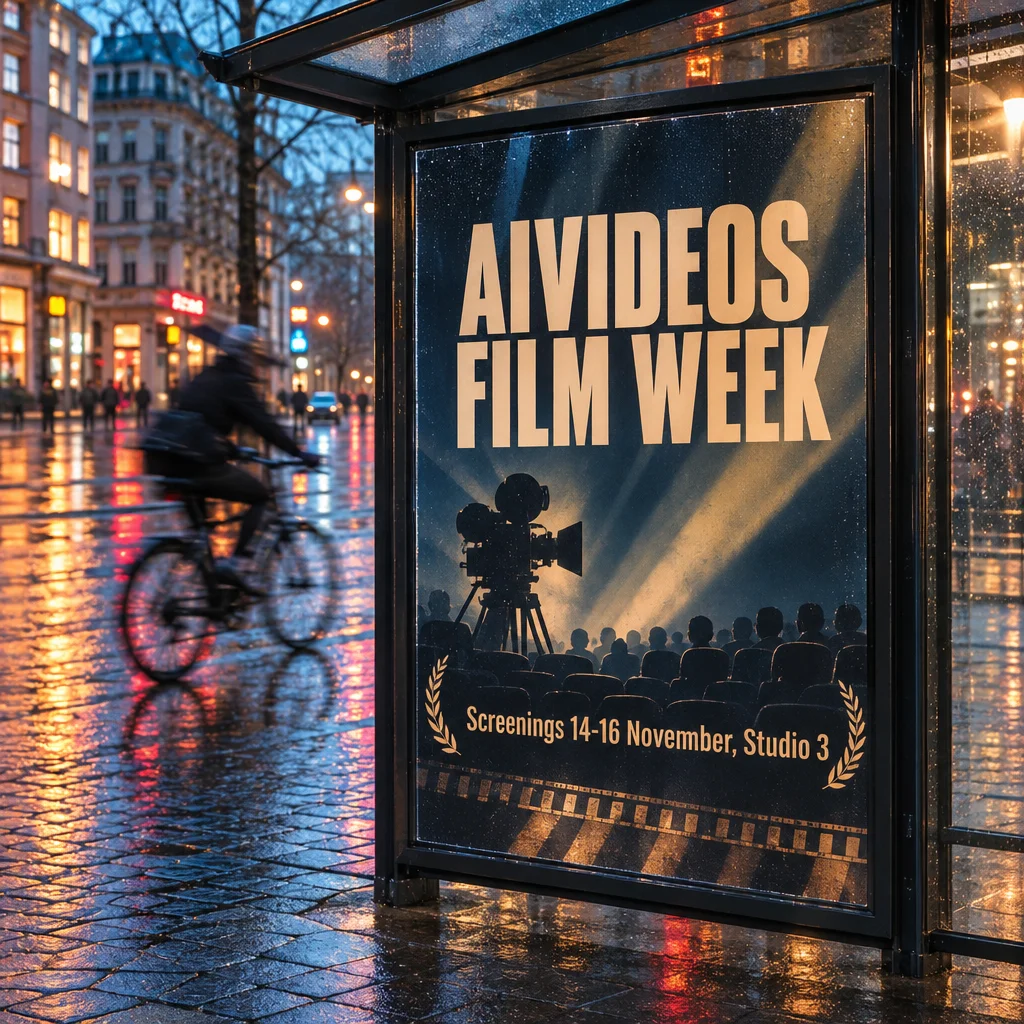
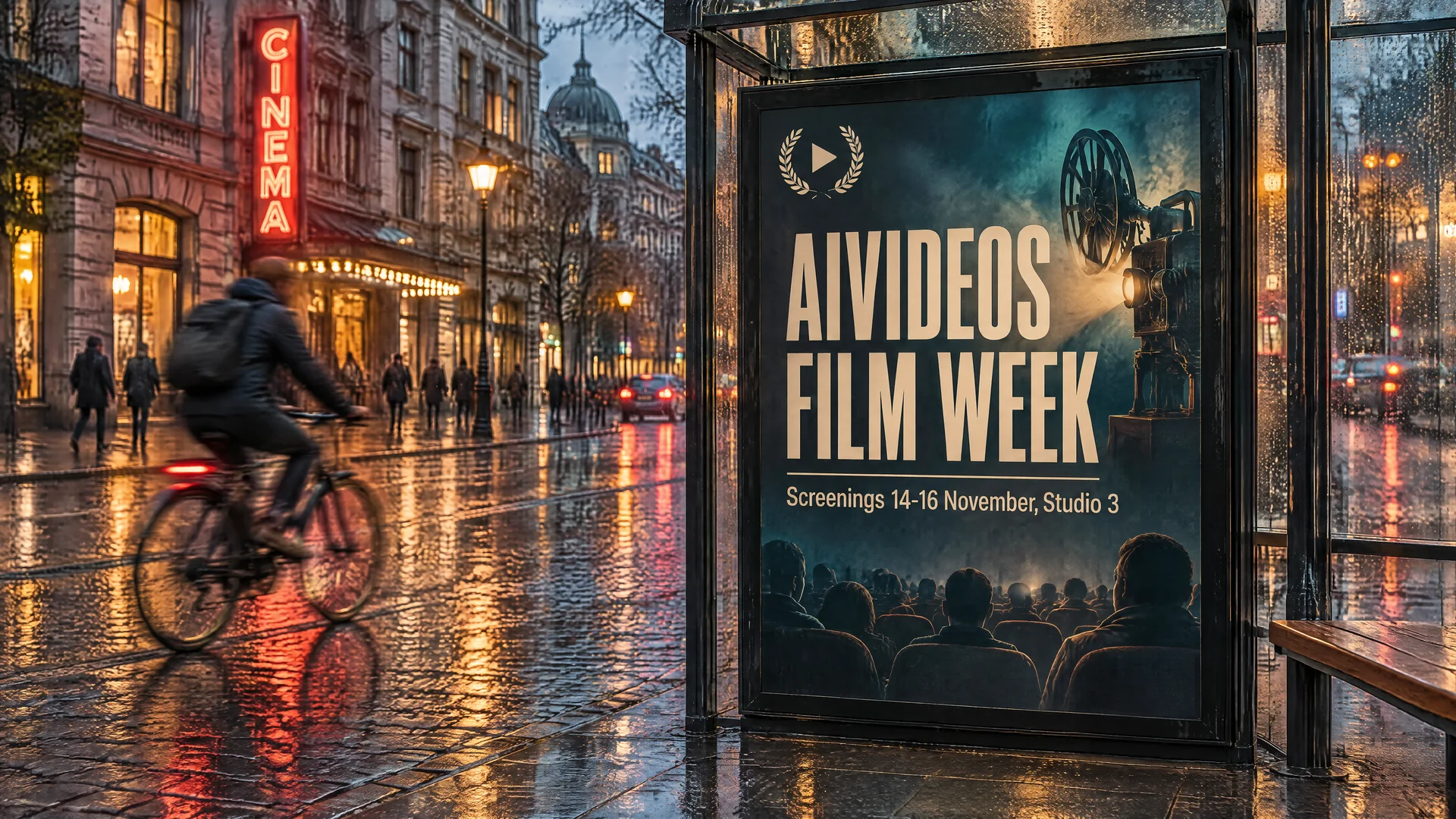
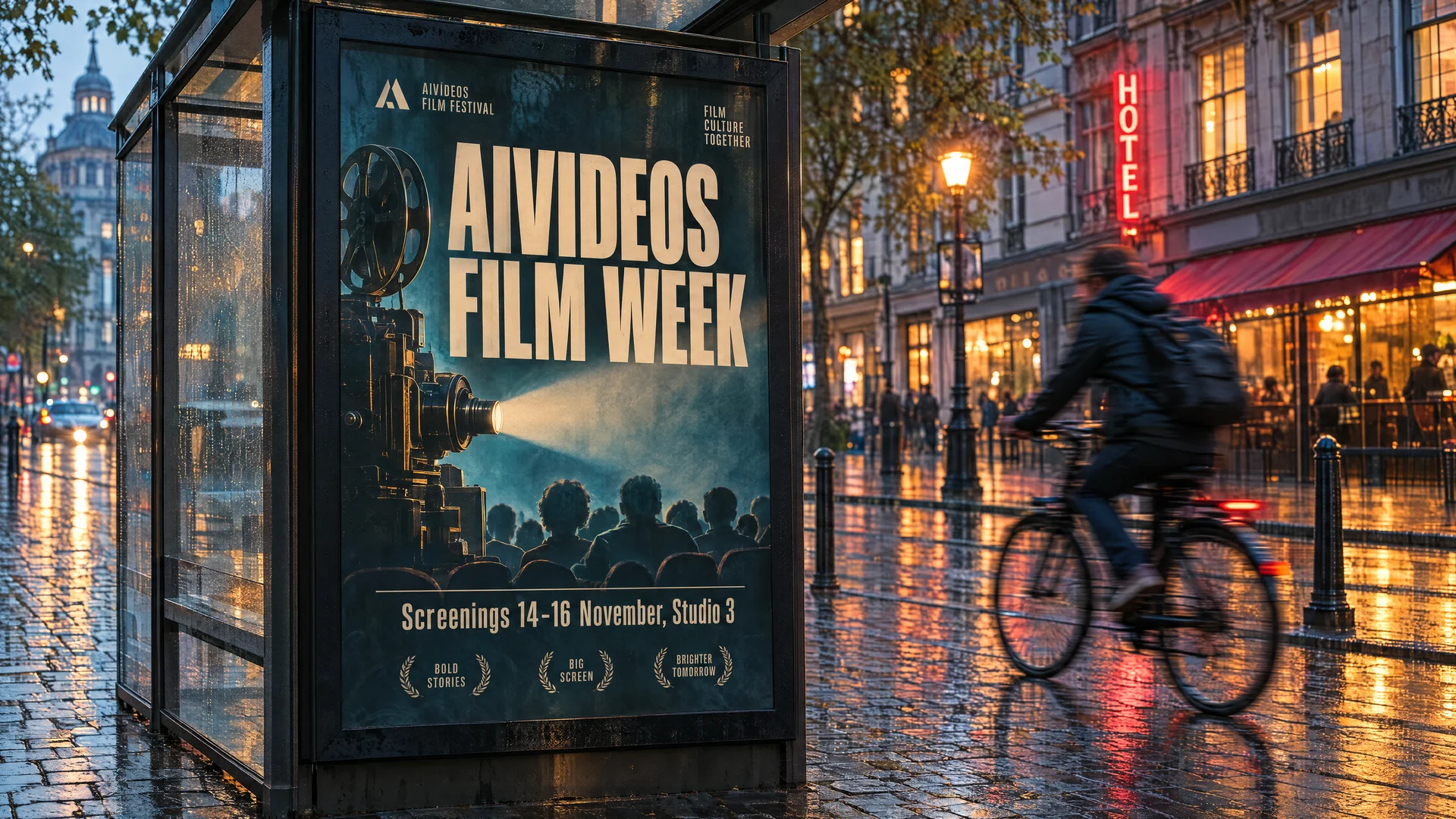
I gave the same brief to GPT Image 2, GPT Image 2.5 Sunburst and GPT Image 2.6 Sunburst, all at high quality and the same 16:9 size. The brief asked for a film festival poster in a bus shelter on a wet street at dusk, with exact headline and date copy, a cyclist in motion blur and a teal and amber grade.
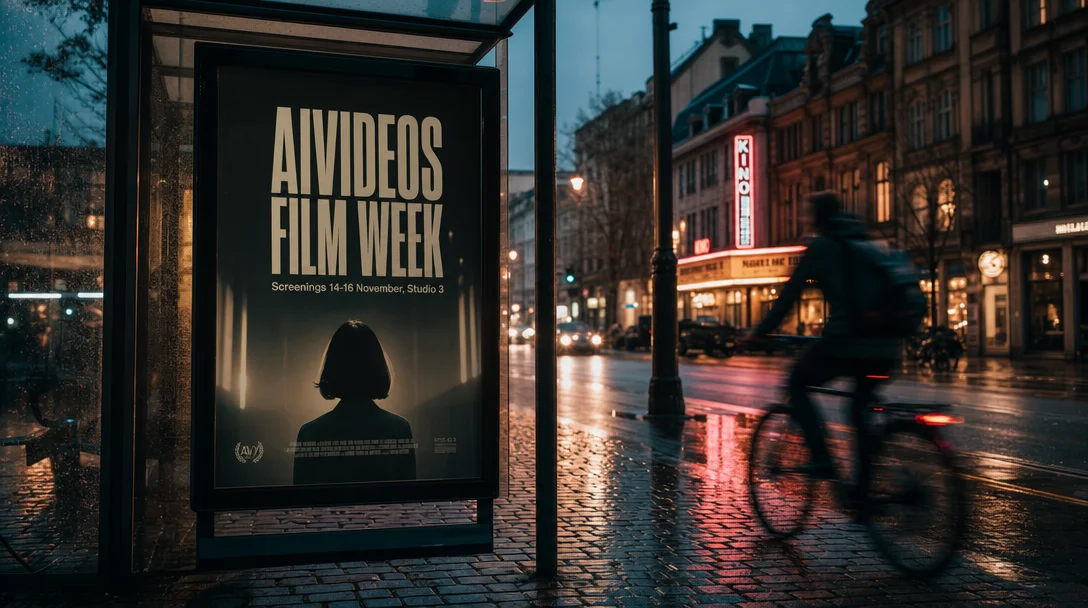
GPT Image 2 got the headline and the date line right and built a believable street. It also added a fake credit block to the bottom of the poster. It was the slowest of the three by a distance at 77 seconds, and the dearest: fal billed $0.104 for this image.
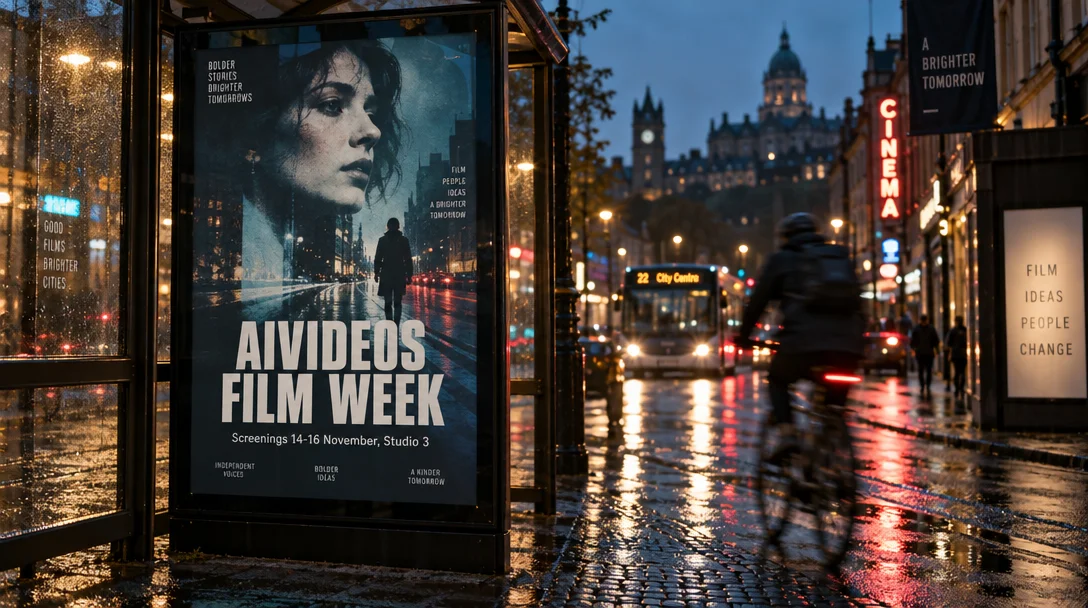
GPT Image 2.5 Sunburst also nailed the requested copy, then kept going. "Bolder stories, brighter tomorrows", "Film ideas people change", a banner reading "A brighter tomorrow". None of that was in the brief. On a client job that is cleanup work, and on a real product shot it would be an error.
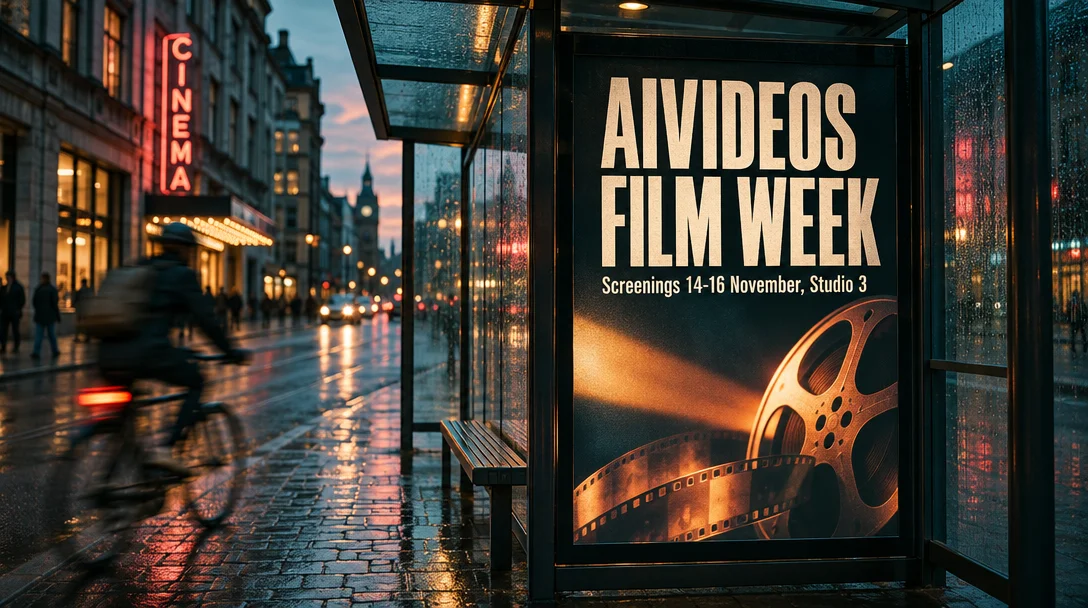
GPT Image 2.6 Sunburst is the one I would send to a client. The copy is exact, nothing is invented, the poster owns the frame and the grade is what was asked for. It took 37 seconds and cost the same $0.026 as 2.5 at this size.
Three renders is not a benchmark. It is, though, the pattern I care about most in commercial work: does the model do what the brief says and stop there?
Every quality tier, side by side
GPT Image 2.6 has five quality tiers. The Studio sells all five as Draft, Standard, High, Ultra and Max. Here is the same prompt on Flare at 1024 by 1024 at each one, with the real fal cost and the wall-clock time.
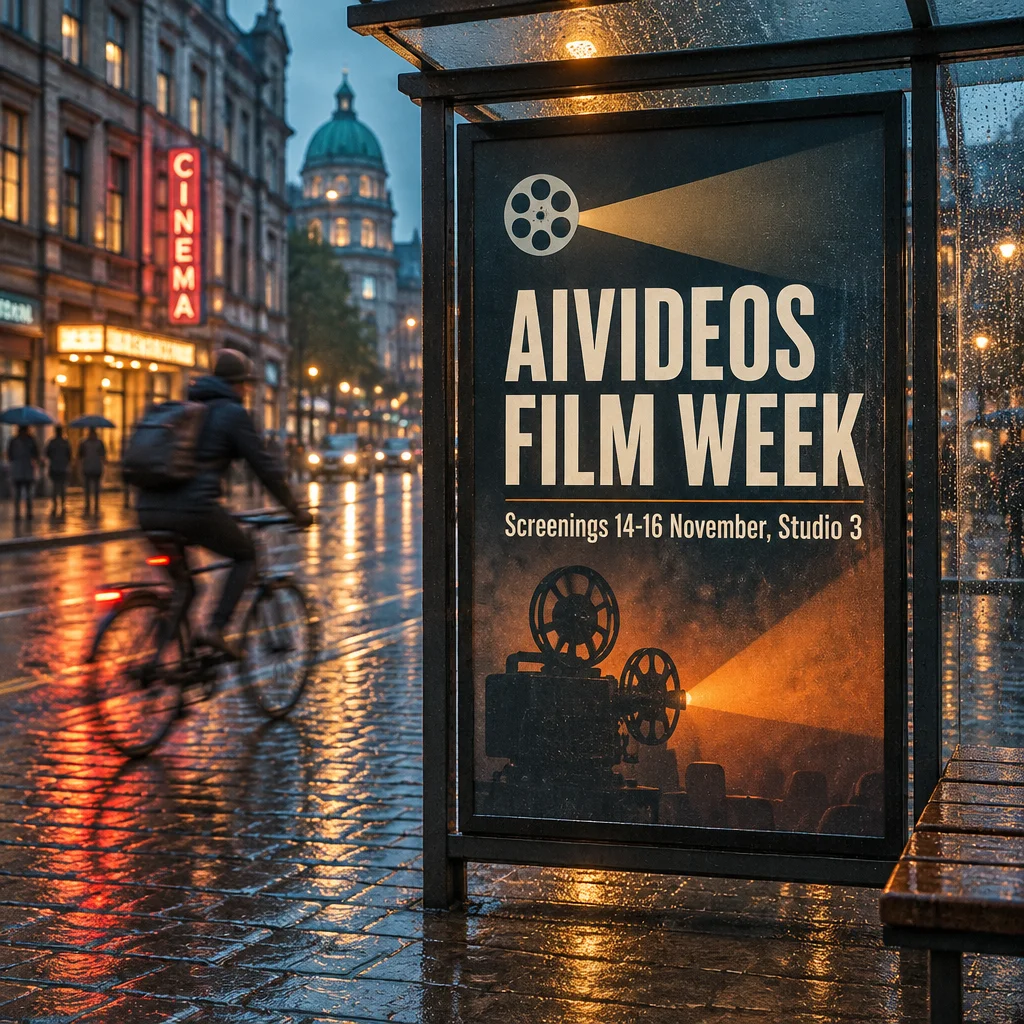
Low (Draft): $0.025, 12 seconds. This is the surprise. The type is perfect, the light is convincing and the composition holds. For ideation, storyboards and client mood boards, this tier is good enough.
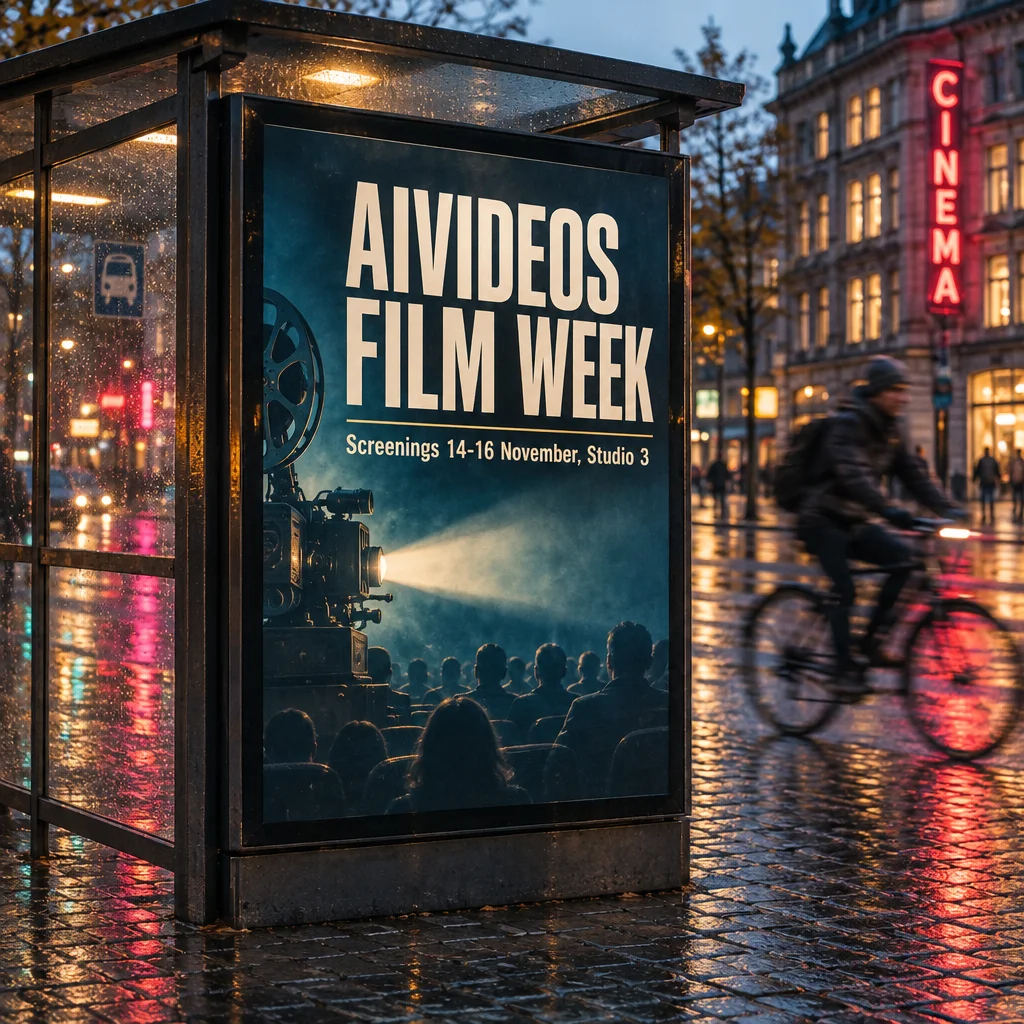
Medium (Standard): $0.044, 10 seconds. Cleaner texture in the wet cobbles and the glass. In practice it was no slower than low.
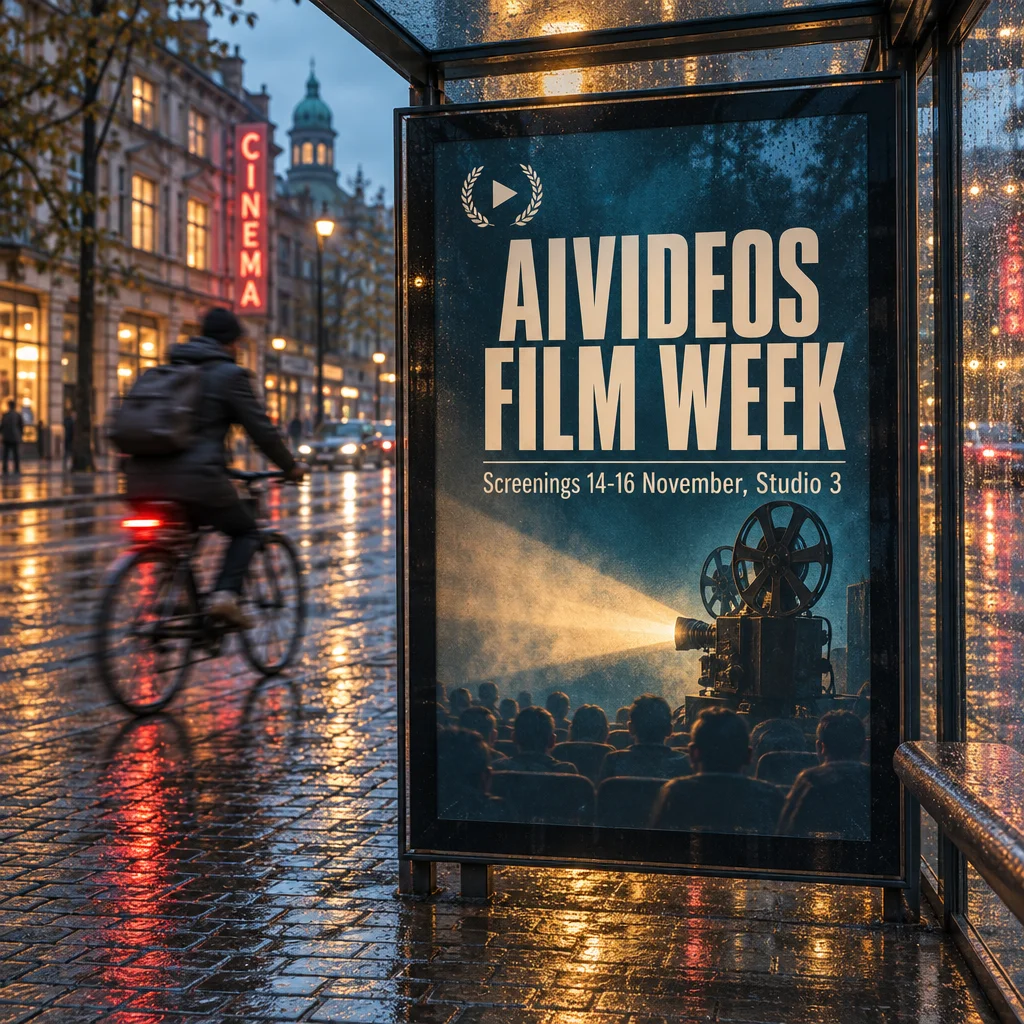
High: $0.053, 13 seconds. The default, and the right one for most finished stills.
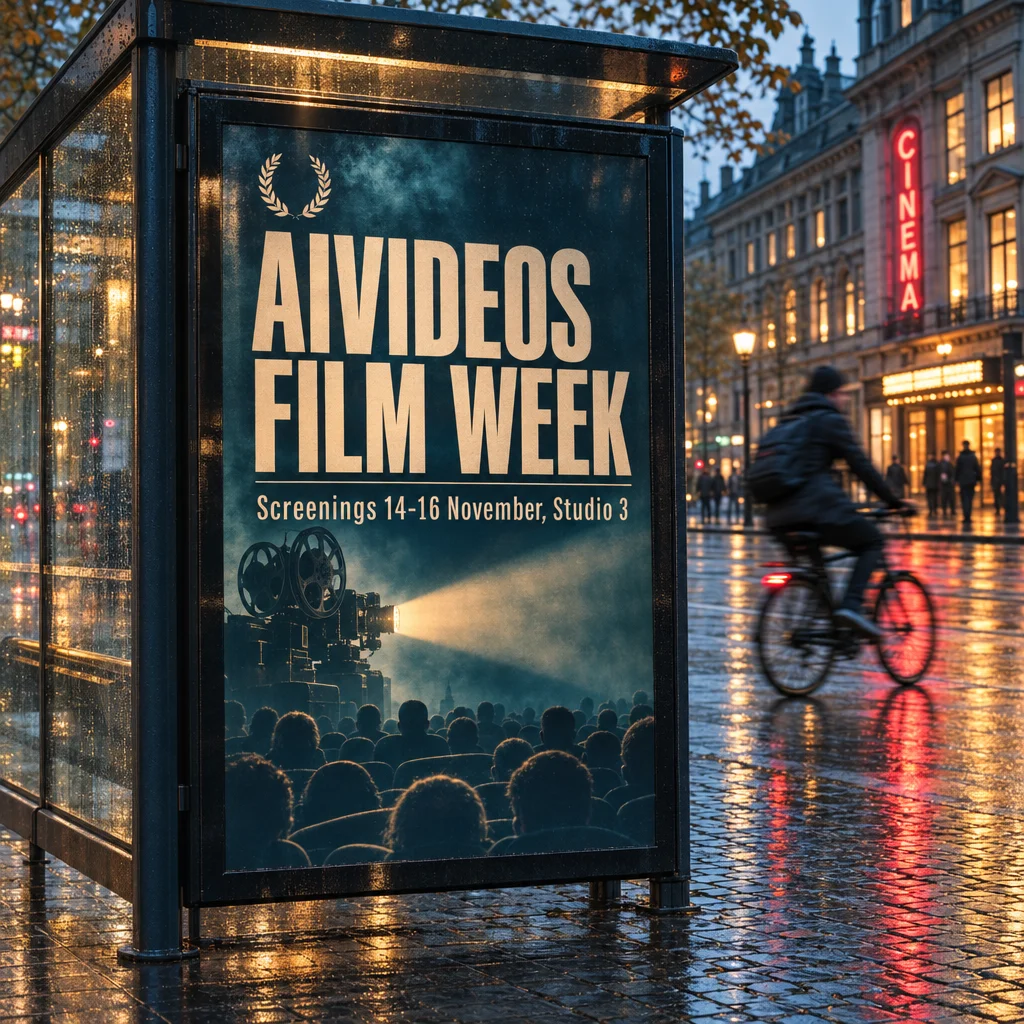
Xhigh (Ultra): $0.094, 20 seconds. More micro-detail in the glass and the crowd. Worth it for hero images that will be seen large.
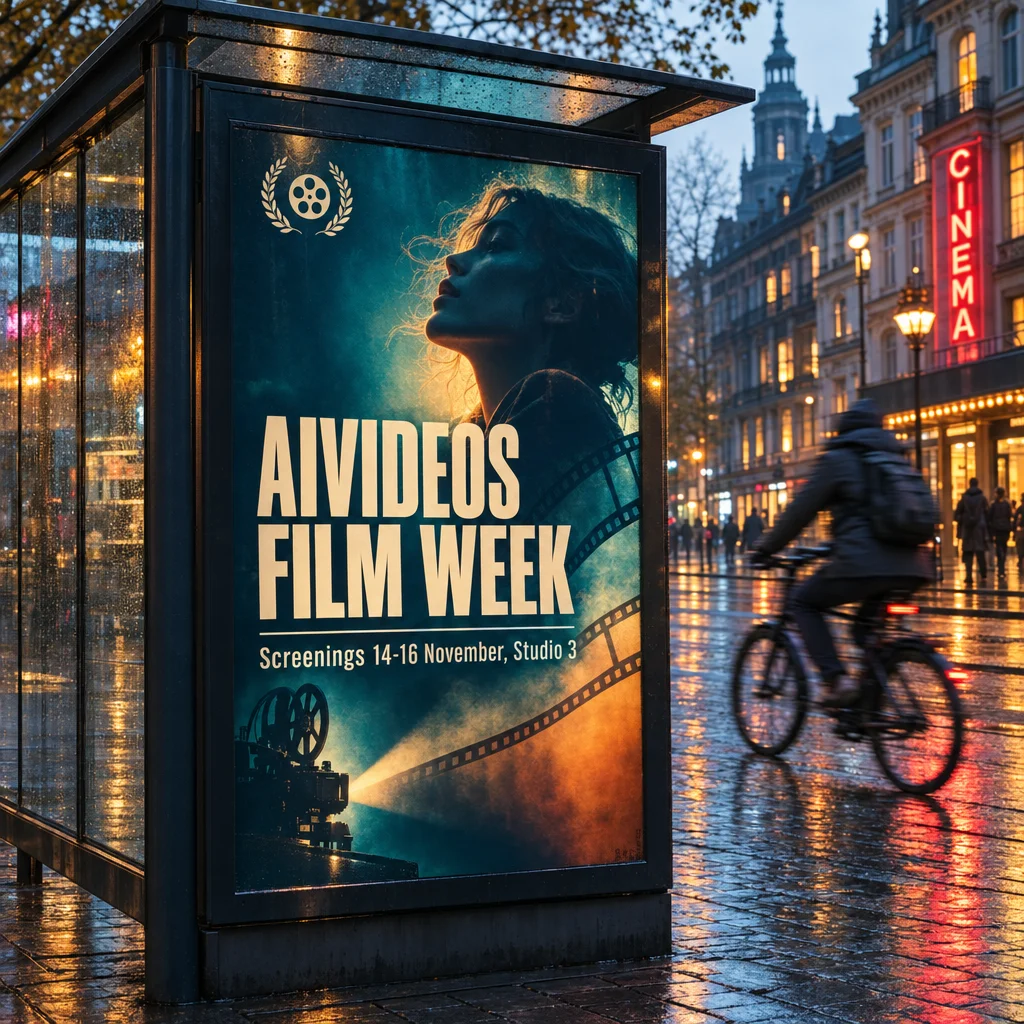
Max: $0.211, 34 seconds. The richest render, and the most liberties taken: it redesigned the poster around a portrait. Four times the cost of high for a difference most briefs will not need.
Here is the cost story nobody will put on a launch slide. Low and medium cost 4.3 times and 3.3 times what they did on GPT Image 2.5. The token rates didn't change: $5 per million text input tokens, $8 per million image input tokens and $30 per million image output tokens, exactly as before. What changed is that 2.6 spends more output tokens on its cheap tiers. From high upwards the cost is the same as 2.5, to within a fraction of a cent.
Does the planning control cost anything?
No. I ran high quality twice, once with planning on its thorough default and once on quick. Both billed exactly $0.0532.
Quick shaved under two seconds off the render and produced a different but equally clean layout, with the date line moved to the foot of the poster. OpenAI's own advice is quick for simple edits and thorough for scenes with many elements or constraints. Since it is free either way, leave it on thorough unless you are iterating fast.
4K: what the extra pixels buy
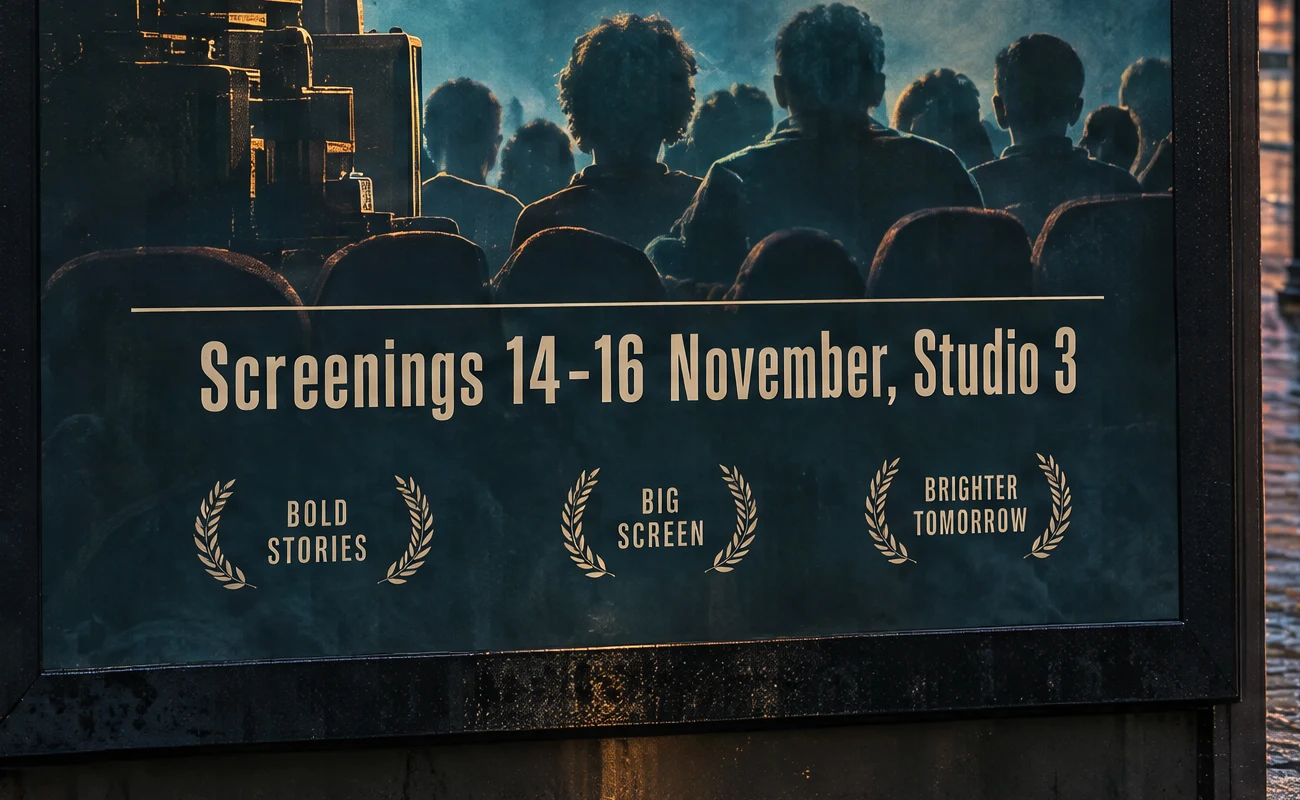
At 3840 by 2160, high quality cost $0.101 and max cost $0.401. That is about 1.9 times the 1K price, not the 8 times the pixel count would suggest, so 4K is better value per pixel than it looks.
The full-resolution crop below is where 4K earns its place. The screening line is razor sharp. You will also notice three laurel taglines, "Bold stories", "Big screen" and "Brighter tomorrow", that I never asked for. At the top tiers the model still decorates. Check every word before anything goes to print.
Editing: change one thing, keep the rest
I fed the 2.6 Sunburst poster back to Flare's edit endpoint with one instruction: change the headline to "STUDIO NIGHTS" and keep everything else identical.
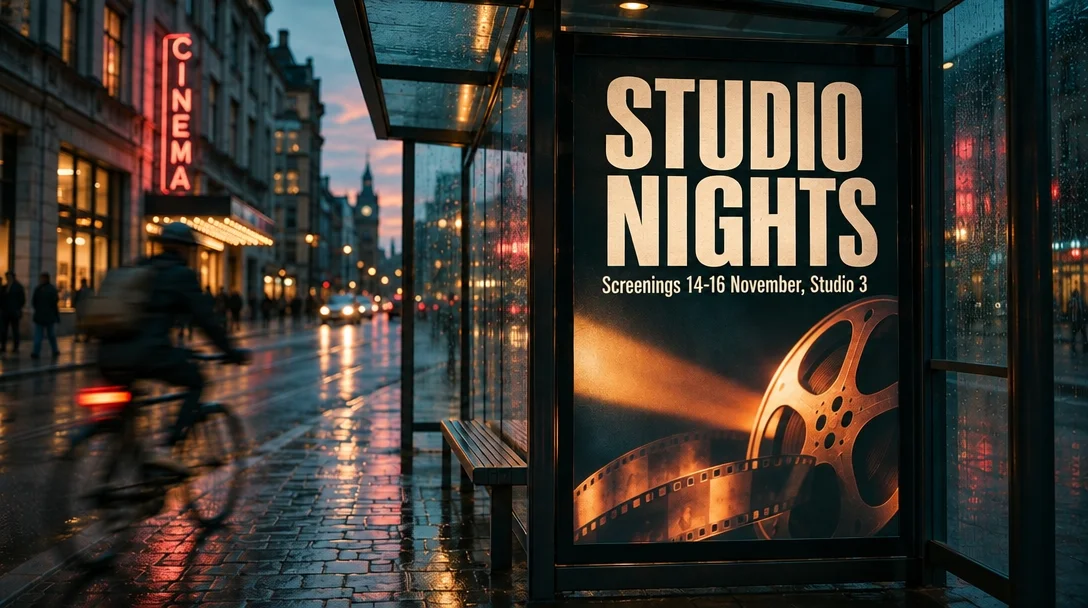
It changed the headline and nothing else. The date line, the reel artwork, the shelter and the cyclist all survived. It cost $0.031 including the uploaded image and took 14 seconds. That is the job most brand teams actually need from an image model.
Animated GIFs
This is the feature I expect to use most. Ask for a loop and you get a real animated GIF back, which plays in any browser, chat app or email client without a plugin.

Nine frames at 832 by 832 and high quality cost $0.143 and took 29 seconds. All the frames share one pixel budget, so more frames means smaller frames.

Sixteen frames at 512 by 512 and medium quality cost $0.089. The motion is smoother and the frames are smaller. For social reactions, product teasers and loading animations, this replaces a trip into an animation tool.
SVG: a real vector

The file above is the actual SVG the model returned, 1.4 KB of clean, named paths you can open in Illustrator or Figma and recolour. I asked for two colours and got three (red, black and white). Close, not perfect. It cost $0.053, the same as a high-quality PNG, so the vector pass is effectively free. For logos, icons and print marks this saves a manual trace.
How fast is it really?
Every timing above is one wall-clock sample from fal's queue on 5 November, so treat them as indicative. The pattern still holds. Flare at high quality returned in 13 seconds against 37 for Sunburst. GPT Image 2 took 77 seconds for the comparison image. If speed matters, Flare is the answer, and Sunburst is for when you have time to spend.
What it costs in AI Videos Studio
Both variants are live in the Studio now, at the same price, with every option the model takes: five quality tiers, Auto, 1K, 2K and 4K sizes, eleven shapes from 3:1 to 1:3, transparent or solid backgrounds, planning, up to 10 images per request, and edits with up to 16 reference images plus an optional mask or markup image.
| Quality | 1K | 2K | 4K | SVG | GIF |
|---|---|---|---|---|---|
| Draft | 3 | 3 | 5 | 3 | 8 |
| Standard | 4 | 5 | 8 | 4 | 13 |
| High | 6 | 6 | 9 | 6 | 15 |
| Ultra | 9 | 11 | 15 | 9 | 27 |
| Max | 17 | 22 | 32 | 17 | 57 |
Credits per image. Each extra uploaded image on an edit adds 1 credit. GIF and SVG unlock once you have bought any credit pack. GPT Image 2.5 stays in the Studio as the cheaper lane at 3, 5 and 8 credits, and its Flare vs Sunburst review still applies. Pack prices are on the pricing page.
My verdict
GPT Image 2.6 is the GPT Image I would hand a commercial brief to. It follows copy more faithfully than 2.5, edits without collateral damage, and the GIF and SVG outputs remove two hand-offs from a typical campaign workflow. Use Flare at high by default. Switch to Sunburst for edits that must not move. Reach for 4K when the image will be printed or cropped hard.
The one thing to watch is the bottom of the range. If your workflow lives on cheap draft tiers, 2.5 is still the cheaper tool, and we have kept it for exactly that reason.
Common questions
When was GPT Image 2.6 released? OpenAI announced ChatGPT Images 2.6 and the two API models, GPT Image 2.6 Flare and GPT Image 2.6 Sunburst, on 4 November 2026. Both went live in AI Videos Studio on 5 November.
Can GPT Image 2.6 make GIFs and SVG files? Yes. It returns animated GIFs of 2 to 16 frames and static SVG vectors from a text prompt. Neither format works on the edit path, and an SVG is always one image per request.
How much does GPT Image 2.6 cost per image? In our renders on 5 November 2026 a 1024 by 1024 image cost $0.025 at low quality, $0.044 at medium, $0.053 at high, $0.094 at xhigh and $0.211 at max. In AI Videos Studio it starts at 3 credits, and a high-quality 1K image is 6 credits.
Should I use Flare or Sunburst? Flare for almost everything: it is the fast one, and our high-quality square render took about 13 seconds. Sunburst costs the same but takes longer, and earns that time on edits where the rest of the image must not move.
Generate cinematic AI video, from €5.99
38 AI models. No subscription. Buy credits, generate on demand, own the results outright.
Try GPT Image on your phone. The AI Videos Studio app, with the same account and credits.