Mago Studio Goes Open Source: What It Means for AI Filmmakers
Mago, the long-form AI video studio, released its desktop app as open source under the AGPL-3.0 licence. It runs MiniMax H3 locally through ComfyUI on an NVIDIA GPU with at least 8 GB of VRAM and about 63 GB of free disk, or renders in Mago Cloud on any machine. Script-to-series and footage restyling are the two headline tools.

Mago has made its desktop app open source. Mago Studio is a long-form AI video studio: it takes a script to a full series, or takes your own footage and restyles it, and it can now run entirely on your own machine.
The pitch from the team is simple. One app was never going to fit the TikTok creator posting daily, the VFX house and the team turning out vertical dramas by the dozen, so they released the base instead. Read it, fork it, and bend it into the tool you need.
I've read the repo end to end. Here is what is actually in it, what it takes to run, and who should bother.
What Mago Studio Does
Two tools carry the app.
- Mago Director is script to video. It works through script, cast, shot list and storyboards, then renders scenes where each shot picks up from the one before it. That continuity between shots is the hard part of long-form AI video, and it is the part most single-clip tools ignore.
- Mago Transform is footage in, restyled footage out, frame-accurate. You can target a frame range, mask part of the frame so only that area changes, relight a shot or replace a character.
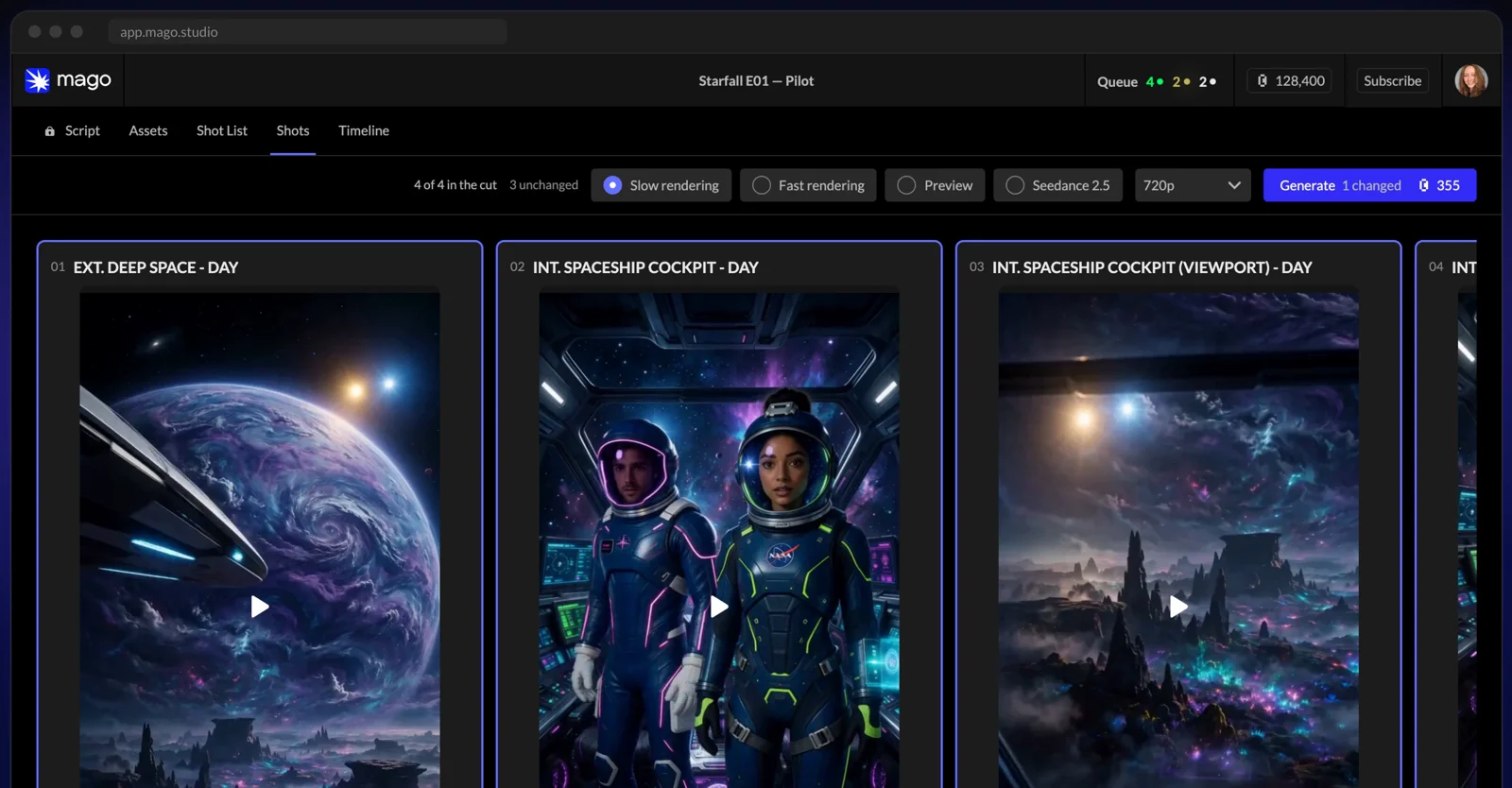
Director turns a script into scenes and shots. Screenshot: Mago Studio.
Characters are defined once and reused. Each one gets a turnaround sheet, and every shot that features them draws on it.
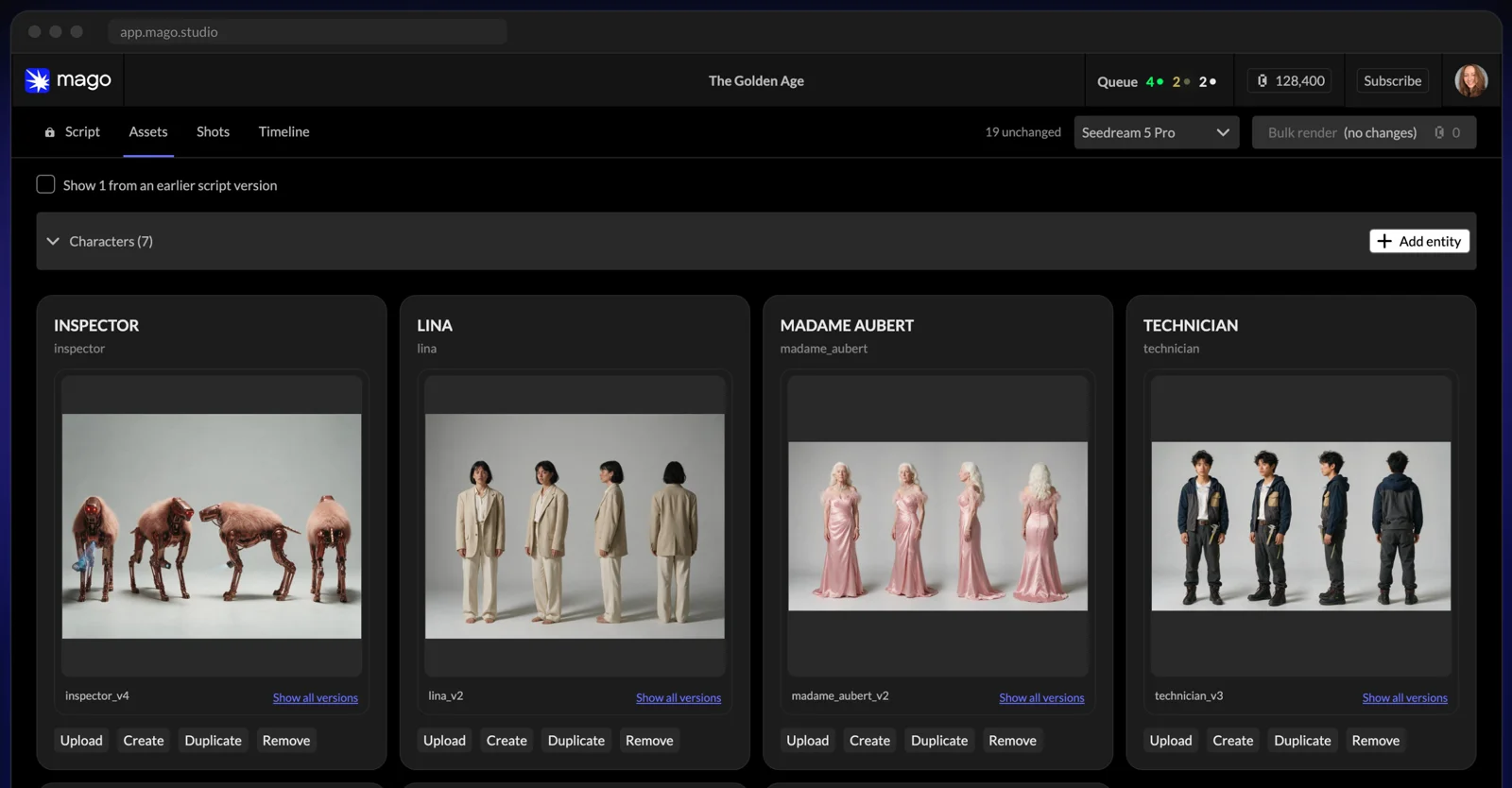
Cast once, reuse in every shot. Screenshot: Mago Studio.
Around those sit the things a production actually needs and a clip generator never has: versioning, review tools and a frame-accurate pipeline. That is the real difference from most AI video apps. It is built like an editing suite, not a prompt box.
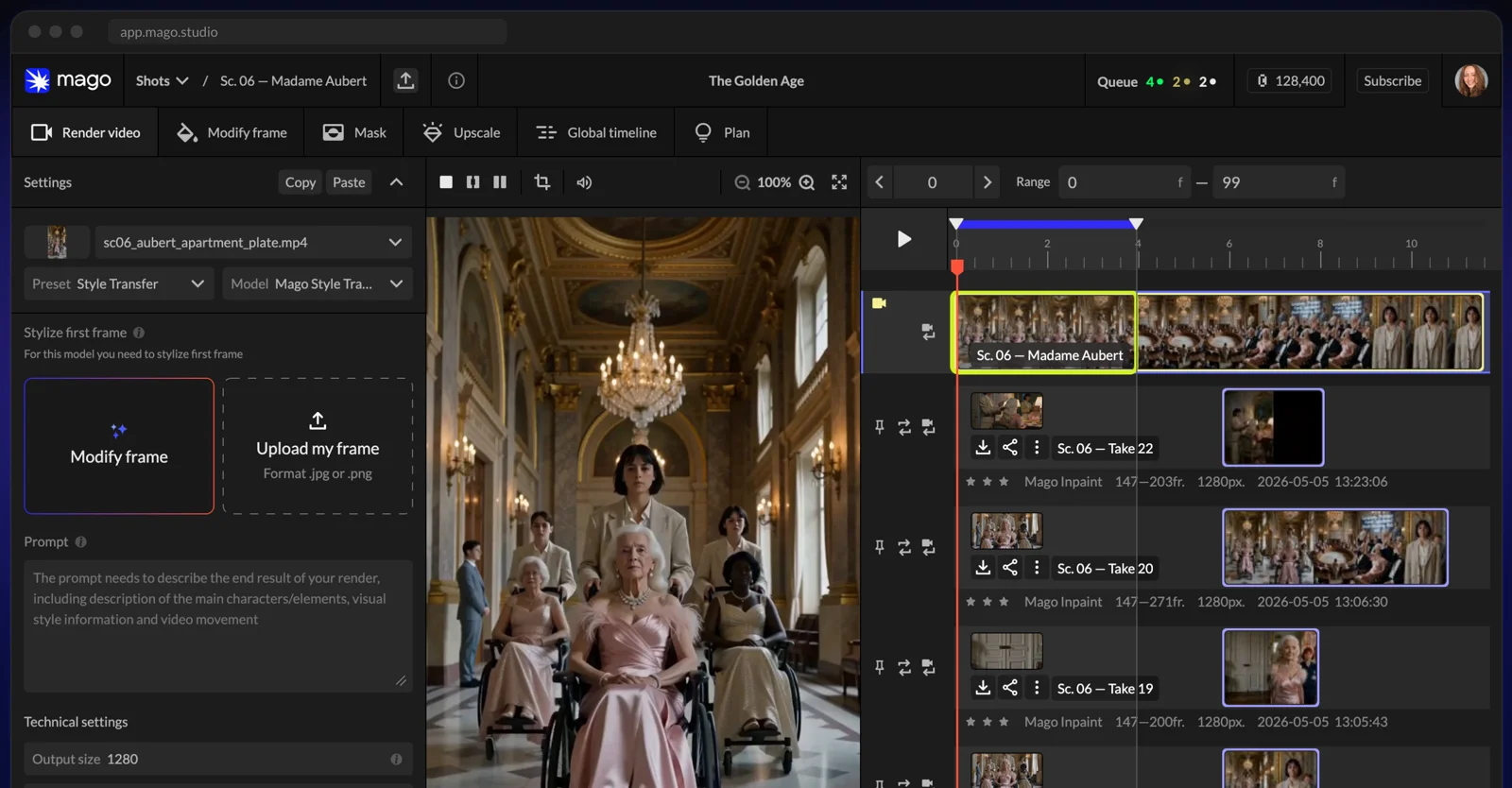
Takes, masks and renders on one timeline. Screenshot: Mago Studio.
What It Takes to Run Locally
This is where the "render free on your own GPU" line meets reality.
- Windows: an NVIDIA GPU with at least 8 GB of VRAM and about 63 GB of free disk. A setup wizard installs a portable ComfyUI, the node packs and the models, checks every file, and lets you pause and resume the download.
- macOS and Linux: you point the app at your own ComfyUI. The builds are unsigned on both.
- Your own ComfyUI: version 0.34.0 or later, three node packs (KJNodes, VideoHelperSuite and MiniMax-H3-PDD-Acc) and about 54 GB of models.
The default model set is built around MiniMax H3: a 4-step turbo LoRA for speed, an 8-step LoRA for quality, and VFX LoRAs for VFX edits, head swap, character swap and style transfer. Qwen3-VL 4B writes the captions.
My own laptop has a 4 GB card. It cannot run this. Plenty of creator laptops sit in the same place, and for them "free" means renting a GPU or paying for Mago Cloud. The app and cloud rendering need no GPU at all, so the door isn't closed. It just isn't free.
One more catch. Script writing and reference images go through Mago Cloud when you're signed in. To work fully offline you add the optional local LLM and image model groups afterwards.
The Licence Is the Real Story for Studios
Mago Studio ships under GNU AGPL version 3. That matters more than any feature.
Use it inside your own team and you can change whatever you like. Build a modified version into a product that other people use over the web, and the AGPL expects you to publish your source. For a studio building private internal tools, that is a non-issue. For a startup hoping to turn it into a paid SaaS, it is a serious constraint.
The models carry their own terms on top. The MiniMax H3 weights fall under the MiniMax H3 Community License, and the app asks you to accept each non-permissive licence before it downloads anything. Read that licence before you put local H3 renders in front of a paying client.
None of this is legal advice. It is the first question any commercial user should ask, and the README is honest about it.
Who Should Install It
Studios with their own GPUs. This is the strongest case. You get a working long-form pipeline you can reshape around your house process, and the renders cost you nothing per shot. Internal use sidesteps the AGPL question.
Teams making episodic or vertical drama. Shot-to-shot continuity across a whole series is exactly what Director is designed for. Mago's own showcase includes numbered series episodes, which tells you where they've put the effort.
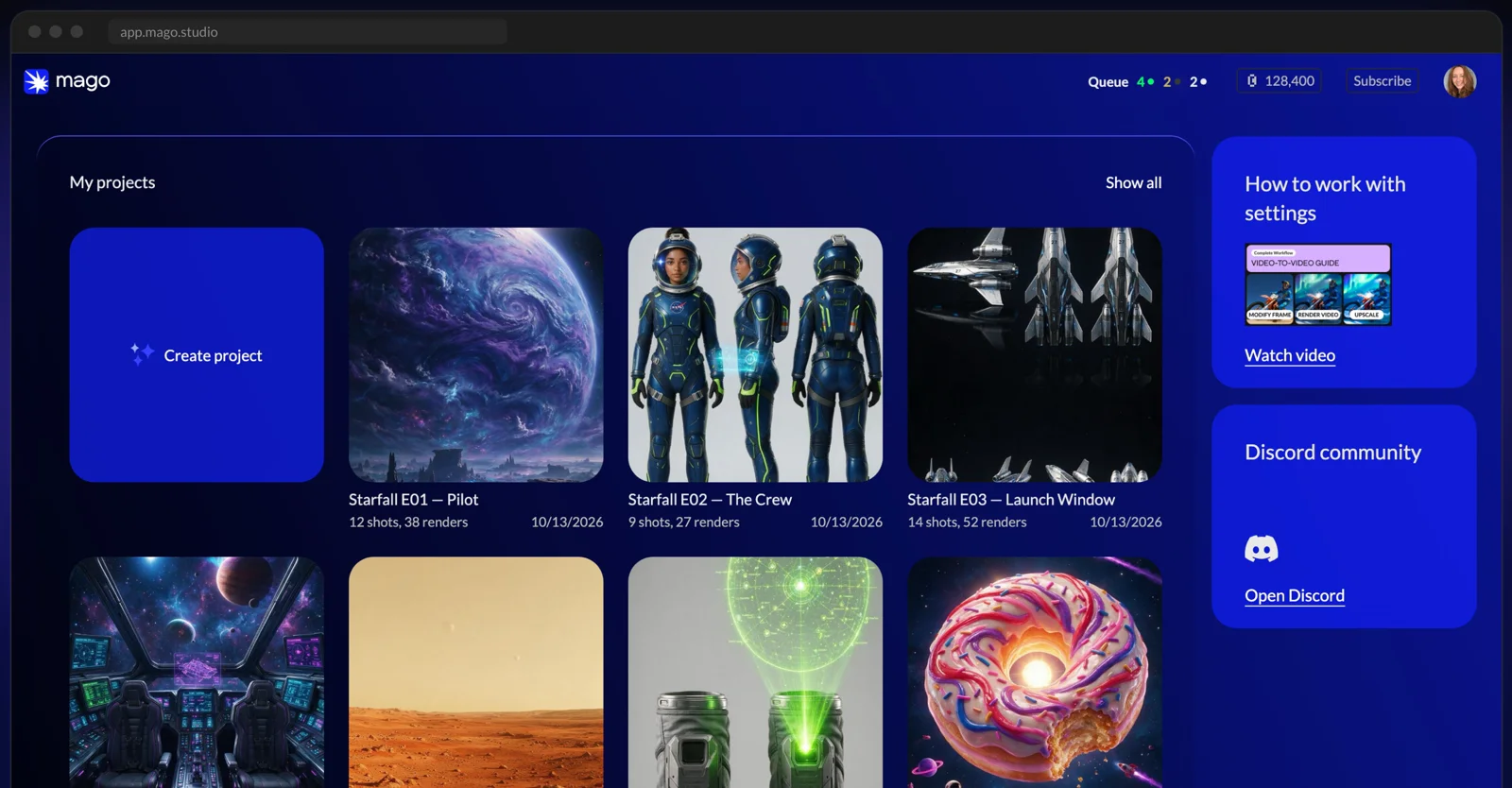
A whole season in one project. Screenshot: Mago Studio.
Developers who want to learn how a real AI video pipeline is built. The team says the code is written to be changed by AI agents: point Claude at the repo, describe what you need, or add a new video model the week it launches. Even if you never ship on it, reading how they structure projects, shots and versions is a good education.
Not for you if you want finished social clips this afternoon on a normal laptop. You'll spend longer on setup than on making anything.
Mago Studio: Quick Questions
Is Mago Studio free? The desktop app is open source, and rendering on your own GPU costs nothing beyond your hardware and electricity. Mago Cloud models are paid and need a Mago account.
What GPU do I need to run Mago Studio locally? On Windows, an NVIDIA GPU with at least 8 GB of VRAM and about 63 GB of free disk for the bundled ComfyUI and models. On macOS and Linux you point the app at your own ComfyUI install. Without a suitable GPU you can still use the app and render in Mago Cloud.
What licence is Mago Studio released under? GNU AGPL version 3 only. The open-weight models it downloads keep their own licences, and the MiniMax H3 files fall under the MiniMax H3 Community License.
Can I build Mago Studio into my own product? You can fork it, but the AGPL requires you to publish your source code if you let users interact with a modified version over a network. For internal studio tools that stay inside your team, that obligation does not arise in the same way. Take legal advice before shipping anything commercial on it.
Where This Fits Alongside Hosted Models
Open-source tools like this are good news for everyone making AI video, including people who never run them. They push the quality of the free baseline up, and they make the real costs visible: hardware, disk, setup time and licence terms.
If you'd rather skip the GPU and the setup, MiniMax H3 is available to run directly in the Studio, with the price shown before you generate. Our MiniMax H3 review covers what it does well and where it struggles.
And if the project is a brand film or a series rather than a weekend experiment, the tool matters less than the direction behind it. That's the part we do for clients.
Generate cinematic AI video, from €5.99
36 AI models. No subscription. Buy credits, generate on demand, own the results outright.
Also on Android. The AI Videos Studio app, with the same account and credits.