Vidu Q4: What It Is, What It Costs, and How to Use It
Vidu Q4 is ShengShu Technology's new video model, released as a preview on 7 October 2026. It makes 3 to 16 second clips with sound at 540p to 4K, built around reference images and voice clips. In the Studio it costs from 14 credits for 5 seconds at 540p. Checked against ShengShu's press release and the model's API schema on 19 October 2026.
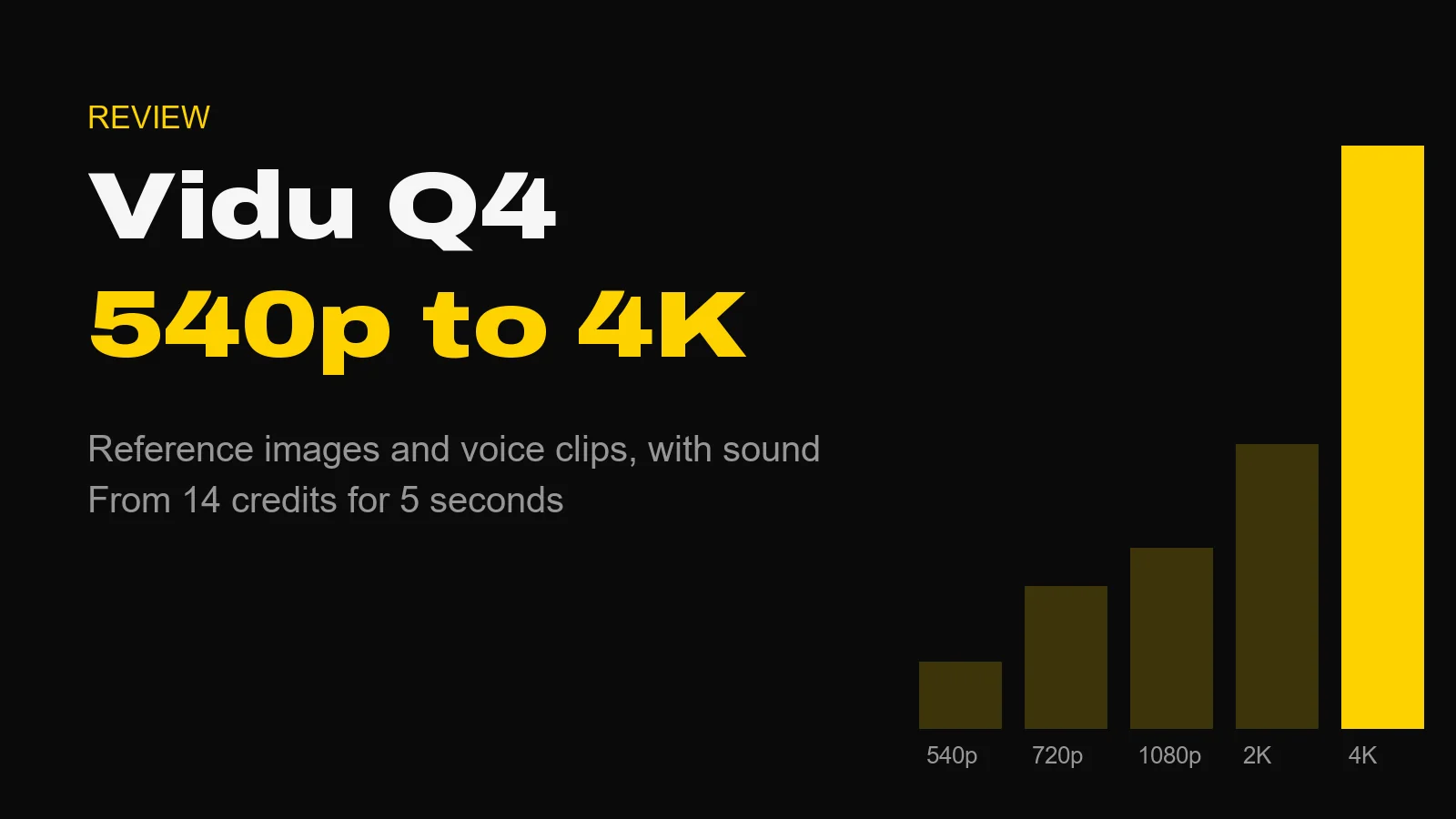
Vidu Q4 is ShengShu Technology's new video model. It builds a clip from reference images and voice clips, generates sound with the picture, and renders at anything from 540p to 4K. ShengShu released it as Vidu Q4 Preview on 7 October 2026. In the Studio it makes clips of 3 to 16 seconds, from 14 credits for 5 seconds at 540p.
That is the short answer. The longer one is about what kind of model this is, because Vidu Q4 is not a general text-to-video model and it rewards a different way of working.
The Short Version
- Maker: ShengShu Technology, which runs the Vidu platform.
- Released: 7 October 2026, as a preview of its next flagship model.
- Length: 3 to 16 seconds per clip. Default 5.
- Resolution: 540p, 720p, 1080p, 2K or 4K.
- Inputs: up to 12 reference images and up to 3 voice clips, or one start frame.
- Sound: yes, speech and sound effects.
- Studio price: 14 credits for 5 seconds at 540p, 30 at 720p, 123 at 4K.
- No text-to-video. Every clip needs at least one image or voice clip.
What ShengShu Says It Is
ShengShu's launch release calls Q4 Preview the first public preview of its next-generation flagship model for expressive audio and video. The pitch is consistency: characters, products, places and voices that stay the same across a clip because you supplied them, rather than because you described them well.
The release also makes a point I agree with. ShengShu's chief executive, Yihang Luo, says advanced video models "should prove themselves beyond carefully selected demos". That is exactly the test a reference-driven model has to pass. Showreel clips prove very little. Your own product, your own face, your own voice, held for 16 seconds: that is the brief.
Two numbers in the release differ from what the API accepts, and they matter if you are planning a job:
- The release says up to 15 reference images. The API schema the Studio runs on says up to 12, and that is the limit you get here.
- The release quotes launch pricing from $0.014 per second, a promotional rate with no end date given. The API host's regular rate starts at $0.045 per second at 540p. The Studio is priced on the regular rate, so the price will not jump when a promotion ends.
How Vidu Q4 Works in the Studio
There are two modes, and you pick one per clip.
Reference mode is the headline. Upload up to 12 reference images (a character, a product, a location) and up to 3 voice clips, then name them in your prompt. The voice clips must be MP3, each between 3 and 12 seconds. The Studio always renders this mode with sound, and the API host says sound does not change the price.
Image mode animates one start frame. The clip follows the shape of your image, and there is no end-frame slot, so you cannot pin where the shot lands.
You cannot mix the two: a start frame, or references, not both. And because the API has no text-to-video endpoint, a prompt with nothing attached is refused before any credits are spent. One voice clip on its own is enough.
Aspect ratios in reference mode are 16:9, 9:16, 1:1, 4:3 and 3:4. There is no 21:9.
What Each Clip Costs
All prices are from the Studio's live price table on 19 October 2026. Vidu Q4 is billed per second, and the rate rises with resolution.
| Resolution | 5 seconds | 10 seconds | 16 seconds |
|---|---|---|---|
| 540p | 14 credits | 28 credits | 45 credits |
| 720p | 30 credits | 60 credits | 96 credits |
| 1080p | 38 credits | 76 credits | 121 credits |
| 2K | 60 credits | 120 credits | 192 credits |
| 4K | 123 credits | 246 credits | 394 credits |
Two things stand out. 1080p costs only a little more than 720p: 38 credits against 30 for 5 seconds. And 4K costs roughly twice 2K. If you are delivering for social, 1080p is the sweet spot. Save 4K for the final take of a shot you have already proved at 540p.
That is the workflow I would use. It is simple. Prove the idea at 540p for 14 credits, then re-render the keeper. References make this safer than usual, because the cast and the product do not change between the test and the final.
Is Vidu Q4 Free?
Not in the Studio, where every clip is priced before you generate. ShengShu's own web product has its own plans and launch promotions; check vidu.com for those, because they change.
Vidu Q4 vs Seedance 2.0
Both reach 4K, and they suit different jobs.
| Vidu Q4 | Seedance 2.0 | |
|---|---|---|
| Length | 3 to 16s | 4 to 15s |
| Top resolution | 4K | 4K |
| Text-to-video | No | Yes |
| End frame | No | Yes |
| Reference images | Up to 12 | Up to 9 |
| Voice clips | Up to 3 | No |
| 21:9 | No | Yes |
| 5s at 720p | 30 credits | 91 credits |
| 5s at 4K | 123 credits | 469 credits |
On price alone Vidu Q4 is far cheaper at every tier we can compare. The gap is wide. On control it is narrower: no end frame, no ultrawide, no prompt-only clips. If your shot needs to land on a specific frame, Seedance 2.0 or Flux 3 is the better tool. If it needs a specific face saying a line in a specific voice, Vidu Q4 is built for that.
Vidu Q4 vs Kling 4.0
Kling 4.0 arrived the same month, and people are searching the two together. Kling 4.0 runs longer (up to 30 seconds) and adds keyframes, but it does not run in our Studio and has no public API price yet. Our Kling 4.0 post covers what Kling has confirmed.
How to Brief It
Reference models punish vague prompts in a particular way: they give you the right people doing the wrong thing. A few habits help.
- Name every reference in the prompt. If a reference is uploaded but never named, the model has to guess its role. Tell it which image is the character and which is the room.
- Give one action per clip. A 16-second take can hold a short scene, but one clear beat ("she lifts the bottle to the light and turns it slowly") beats three.
- Write the line of dialogue. If you attach a voice clip, put the exact words in quotes. Keep them short enough to say naturally in the clip length.
- Describe the camera. Lens, height and movement. "Slow push-in at eye level, 50mm" is a direction. "Cinematic" is not.
- Test cheap. 540p first, every time.
What We Have Not Tested
We have not run Vidu Q4 against other models on a controlled prompt set, so this post makes no quality ranking. Third-party coverage, such as Hermes AI's report, says it entered Artificial Analysis's image-to-video leaderboard at third place in its first days. Leaderboards move weekly, so check the live board rather than trusting a snapshot.
It is also a preview, and a full Q4 release is expected to follow. Expect the limits above to change, and expect this post to be updated when they do.
Questions About Vidu Q4
What is Vidu Q4? Vidu Q4 is a video generation model from ShengShu Technology, the company behind the Vidu platform. ShengShu released it as Vidu Q4 Preview on 7 October 2026. It builds clips around reference images and voice clips, with sound, at 540p, 720p, 1080p, 2K or 4K.
How much does Vidu Q4 cost? In the AIVideos Studio, Vidu Q4 costs from 14 credits for 5 seconds at 540p. The default clip, 5 seconds at 720p, costs 30 credits, and the longest, sharpest setting, 16 seconds at 4K, costs 394 credits. The price is shown before you generate.
How long can a Vidu Q4 clip be? From 3 to 16 seconds, in one-second steps, on both its reference mode and its image-to-video mode. The default is 5 seconds.
Does Vidu Q4 have audio? Yes. Vidu Q4 generates speech and sound effects with the picture. Its reference mode also takes up to 3 voice clips, in MP3, each 3 to 12 seconds long, so a character can speak in a voice you supply.
Can Vidu Q4 do text-to-video? Not on its own. The API offers reference-to-video and image-to-video only, so every Vidu Q4 clip needs at least one input: a start frame, a reference image or a voice clip. For prompt-only video, use another model.
Vidu Q4 vs Seedance 2.0: what is the difference? Both reach 4K. Seedance 2.0 runs 4 to 15 seconds, takes a start and an end frame, offers 21:9 and does text-to-video. Vidu Q4 runs 3 to 16 seconds, takes up to 12 reference images and 3 voice clips, and has no end frame. In the Studio a 5-second clip at 720p costs 30 credits on Vidu Q4 and 91 on Seedance 2.0.
Sources
All checked on 19 October 2026.
- ShengShu Technology, Vidu launches Q4 Preview, PR Newswire, Singapore, 7 October 2026 (release date, reference limits, resolutions, launch pricing)
- The model's reference-to-video API page and published rate on fal.ai, and fal's queue API schemas for the Q4 reference-to-video and image-to-video endpoints (durations, reference limits, voice clip format, aspect ratios; no text-to-video or start-end endpoint exists)
- Hermes AI, Vidu Q4 Preview debuts at No. 3 (leaderboard placement, third-party)
- Studio prices: the Studio's live price table, 19 October 2026
Where to Start
Open the Studio, pick Vidu Q4 in reference mode, upload one clear image of your subject and write a single action at 540p. It costs 14 credits and tells you within one render whether the model holds your subject. If you would rather hand a reference-led campaign to someone who does this every day, that is what our production services are for.
Generate cinematic AI video, from €5.99
32 AI models. No subscription. Buy credits, generate on demand, own the results outright.
Try Vidu on your phone. The AI Videos Studio app, with the same account and credits.