Kling 4.0: Release Date, 30-Second Clips, Specs and Price
Kling 4.0 is Kuaishou's new video model: single takes of 3 to 30 seconds, up to 10 keyframes, up to 15 references and stereo audio. Early access opened on 30 September 2026 and full release followed in mid-October. Checked against Kling's own release posts and user guide on 19 October 2026.
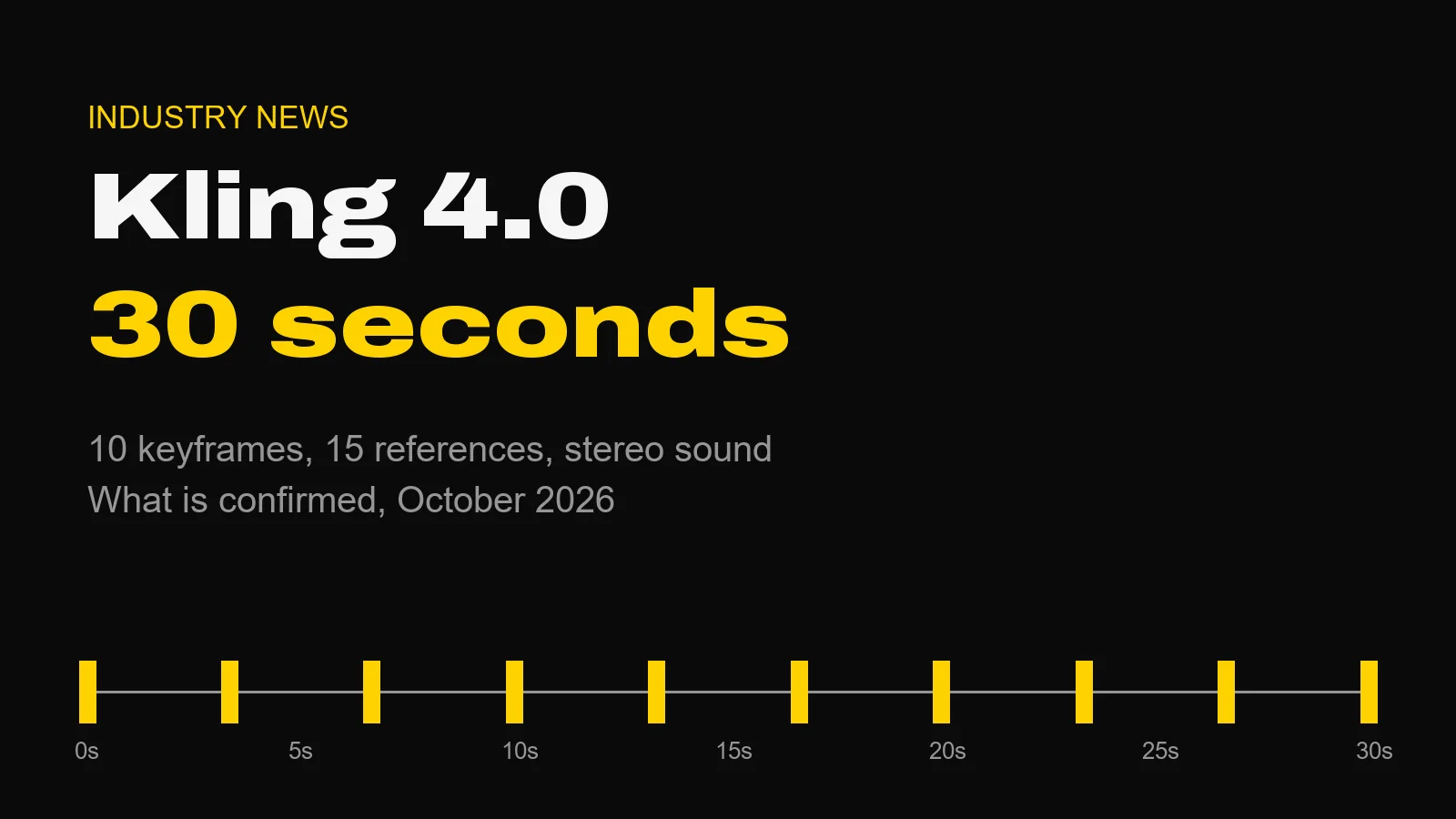
Kling 4.0 is Kuaishou's new flagship video model. It makes single takes of 3 to 30 seconds at up to 4K, with stereo sound, and it takes up to 10 keyframes or up to 15 reference assets in one generation. Early access opened on 30 September 2026. Kling announced on 15 October that the full model was available to everyone.
That is the answer most people searching for it want. The rest of this post is what Kling has actually confirmed, what it has only promised, and what to use for the same jobs today.
A disclosure first. We do not run Kling in the Studio. We retired it in September, because Kling bills through its own account rather than the provider the rest of our roster runs on. Our Kling links are affiliate links, so if you sign up through one we may earn a commission. That is a reason to be stricter about the facts here, not looser.
The Short Version
- Length: 3 to 30 seconds per generation, in one-second steps. The default is 10.
- Resolution: 720p, 1080p or 4K.
- Control: up to 10 keyframes placed anywhere on the timeline, or Omni Reference with up to 15 assets.
- Sound: two-channel stereo, with multilingual speech, dialects and accents.
- Price: not published per clip. It runs on Kling's own subscription plans.
- API: listed as coming soon. Nothing public yet.
We have not tested it. Everything below comes from Kling's own posts and user guide, and where Kling's pages disagree with each other, I say so.
When Kling 4.0 Came Out
The rollout came in three steps, and most of the confusion online comes from people quoting different ones.
- 28 September 2026. Kling 4.0 Flash, the faster variant, went to Ultra Yearly subscribers.
- 30 September 2026. Kling's launch post opened early access to the full model and promised a wider rollout in October.
- Mid-October. Kling's user guide for the full model is dated 14 October. On 15 October Kling posted on X that Kling 4.0 was fully available, as AI Lookout reported.
So if you read that it is "coming in October", the article is a few weeks old. It is out.
What Kling 4.0 Can Do
The headline is length. Thirty seconds in one pass matters more than it sounds, because a long take is where most models fall apart: faces drift, wardrobe rearranges itself, and the back half stops matching the front. Whether Kling 4.0 holds a full 30 seconds is something you have to test on your own brief. Kling claims it does.
Here is what the user guide lists, mode by mode.
Generation modes. Text-to-video, image-to-video, first and last frames, multiple keyframes and Omni Reference. Multi-shot is on by default.
Keyframes. Up to 10 keyframe images, each placed at any point on the timeline. This is the feature I would test first. Ten fixed frames across 30 seconds is close to a storyboard the model has to honour, which is how a director actually thinks about a sequence.
Omni Reference. Up to 15 assets in one task:
| Reference type | Limit |
|---|---|
| Images | Up to 10, each 30 MB or less |
| Videos | Up to 5, each 3 to 30 seconds, 30 seconds combined |
| Voice profiles | Up to 3, each 5 to 30 seconds of audio |
| Elements (characters, objects) | Up to 7, of which up to 3 can be video-based |
One limit worth knowing before you plan a shot: Omni Reference and Keyframes cannot be combined in one task. You choose between locking the frames and locking the cast.
Audio. Two-channel stereo with lip-synced dialogue. The launch post lists Chinese, English, Japanese, Korean, Spanish, Portuguese, German, French and Hindi, plus regional accents and dialects.
Aspect ratios. 21:9, 16:9, 1:1, 9:16 or Auto. The ultrawide 21:9 is the one commercial work will notice.
Prompts. Up to 8,000 tokens. That is a full shot brief, not a sentence.
Editing. Up to 5 input clips, one of them the primary, each 3 to 30 seconds and 30 seconds combined. Kling's guide has a quirk here: your prompt must say "Edit @Video1". Write "Reference @Video1" and you get a new generation that borrows from it instead of an edit.
What Is Still Coming
Three things are announced but not shipped, and they are easy to misread as live:
- 10-bit HDR at 1080p and 4K. Kling's overview marks it as coming soon, although one spec table in the same guide lists it as new. Treat it as not yet available until you see it in the interface.
- Video extension of an uploaded clip, to a total of 2 minutes.
- An API for business customers and developers.
Kling 4.0 vs Kling 4.0 Flash
Flash is the quick, cheaper lane for iteration and short-form work. Kling's guide sets its limits plainly: up to 20 seconds, at a maximum of 720p, with no first and last frames and no multiple keyframes. If you need 4K, 30 seconds or keyframe control, you need the full model.
What Kling 4.0 Costs
Kling has not published a per-clip price in its release post or user guide, and I am not going to guess one. Kuaishou runs regional pricing and rolling promotions, so any figure I typed here would be wrong somewhere. Check Kling's current plans directly.
The API is a separate question. It is listed as coming soon, with no public rate. fal.ai, which hosts earlier Kling versions, wrote on 29 September that Kling 4.0 is "coming to fal soon", with endpoints and prices to follow at launch.
Kling 4.0 vs Seedance 2.5 vs Wan 3.0
Three models now make 30-second single takes with sound. Two of them run in the Studio. Kling's numbers come from its user guide; the other two come from the Studio's own price table.
| Kling 4.0 | Seedance 2.5 | Wan 3.0 | |
|---|---|---|---|
| Single take | 3 to 30s | 4 to 30s | 2 to 30s |
| Resolution | 720p, 1080p, 4K | 480p, 720p, 1080p | 480p, 720p, 1080p |
| Sound | Stereo | Yes | Yes |
| Frame control | Up to 10 keyframes | Start and end frame | Start and end frame |
| References | Up to 15 assets | Up to 30 images, 10 clips, 10 audio files | Up to 10 images, 5 clips, 5 audio files |
| 30s at 720p | Not published | 852 credits | 150 credits |
| In our Studio | No | Yes | Yes |
What the table says, in plain terms. Kling 4.0 is the only one of the three that reaches 4K, and its keyframe mode is the most precise frame control of the group. Seedance 2.5 takes the largest reference set by a wide margin, which is what you want for a recurring character with a voice. Wan 3.0 is the cheapest of the three by a distance: 75 credits for 30 seconds at 480p.
None of that is a quality ranking. We have not run Kling 4.0 against the other two on a controlled prompt set, and until someone does, nobody can honestly tell you which looks better.
What to Use Today for the Same Jobs
If you came here because you want what Kling 4.0 promises, here is where each of those jobs lands in the Studio:
- A 30-second take with sound: Seedance 2.5 or Wan 3.0. Wan 3.0 for cost, Seedance 2.5 for reference-heavy dialogue.
- Several keyframes across one clip: Pika 2.2's Pikaframes takes 2 to 5 keyframe images and runs up to 25 seconds, from 15 credits for 5 seconds at 720p. Flux 3 takes a start and an end frame at up to 20 seconds; the Flux 3 guide covers how.
- 4K delivery: Seedance 2.0 (up to 15 seconds) or Vidu Q4 (up to 16 seconds). Vidu Q4 also takes up to 3 voice clips as references.
- The cheapest test: Wan 3.0 at 480p, 25 credits for 10 seconds.
If none of those does the job and Kling 4.0 is the right tool for your brief, use Kling. That is a fair answer, and it is why the affiliate link is there.
Where Kling Still Has the Edge
For years Kling's case was motion physics: fabric, water, hair, anything with weight. My Kling 3.0 review covers why. Kling 4.0 adds length, keyframes and stereo sound to that. Of the three 30-second models above, it is the only one with 10 keyframes. If it delivers what its spec sheet claims, it is a serious tool for sequences rather than single shots.
The honest caveats: no public API yet, no published per-clip price, HDR not live, and one interface for everything. For a single brief that is fine. For a production that mixes models shot by shot, it means one more account and one more credit balance. That trade-off is the whole argument of our guide to multi-model work.
Questions About Kling 4.0
When was Kling 4.0 released? Kling opened early access to Kling 4.0 on 30 September 2026, after Kling 4.0 Flash went to Ultra Yearly subscribers on 28 September. Kling's user guide for the full model is dated 14 October, and Kling announced on 15 October that the model was fully available.
What can Kling 4.0 do? Kling 4.0 makes single clips of 3 to 30 seconds at 720p, 1080p or 4K, with two-channel stereo audio. It offers text-to-video, image-to-video, first and last frames, up to 10 keyframes, and Omni Reference with up to 15 reference assets, including up to 3 voice profiles. Prompts can run to 8,000 tokens.
How much does Kling 4.0 cost? Kling has not published a per-clip price for Kling 4.0 in its release posts or user guide. Access runs through Kling's own subscription plans, and the faster Kling 4.0 Flash launched first to Ultra Yearly subscribers. Check Kling's current plans before you budget.
Does Kling 4.0 have an API? Not yet. Kling lists an API for business customers and developers as coming soon, and no public API price has been published. fal.ai said in late September that Kling 4.0 is coming to its platform, without endpoint names or prices.
What is the difference between Kling 4.0 and Kling 4.0 Flash? Flash is the faster, cheaper variant for quick iteration. Kling's user guide says Flash reaches 20 seconds at a maximum of 720p and does not support first and last frames or multiple keyframes. The full Kling 4.0 reaches 30 seconds and 4K.
Kling 4.0 vs Seedance 2.5: which should I use? Both make single takes of up to 30 seconds with sound. Kling 4.0 goes to 4K and accepts up to 10 keyframes; Seedance 2.5 stops at 1080p but takes a much larger reference set, up to 30 images, 10 clips and 10 audio files. Seedance 2.5 runs in the AIVideos Studio, from 66 credits for 5 seconds at 480p. Kling 4.0 does not.
Sources
All checked on 19 October 2026.
- Kling, Kling 4.0 launch post, 30 September 2026 (early access, Flash for Ultra Yearly subscribers from 28 September, coming-soon items)
- Kling, Kling 4.0 user guide, 14 October 2026 (modes, limits, Flash limits)
- Kling on X, full availability post, 15 October 2026, as reported by AI Lookout (we could not open the post itself)
- fal.ai, What is Kling 4.0?, 29 September 2026 (API availability on fal)
- Studio prices and limits for Seedance 2.5, Wan 3.0, Pika 2.2, Flux 3, Seedance 2.0 and Vidu Q4: the Studio's live price table and model registry, 19 October 2026
Where to Start
If your brief needs a 30-second take today, open the Studio, pick Wan 3.0 at 480p and write the shot. It costs 75 credits and tells you quickly whether a long take is the right idea. If Kling 4.0's keyframes are what you need, try Kling directly. And if you would rather hand the whole sequence to someone who directs these models every day, that is what our production services are for.
Generate cinematic AI video, from €5.99
32 AI models. No subscription. Buy credits, generate on demand, own the results outright.
Also on Android. The AI Videos Studio app, with the same account and credits.