LTX 2.3 Reframe: One Edit, Every Aspect Ratio
Lightricks' LTX 2.3 Reframe re-crops finished footage to a new aspect ratio and keeps the subject in frame. Here is what it does, what it costs per second, and where it still gets things wrong.
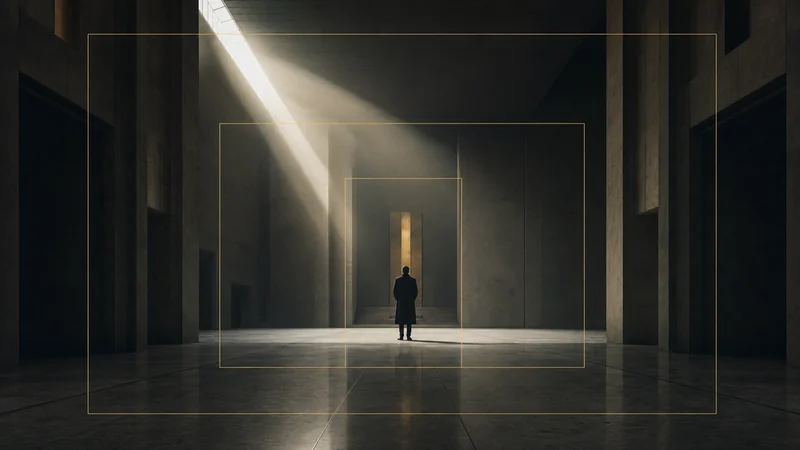
You finish the edit. It looks great at 16:9. Then the client asks for a vertical cut for Reels, a square for the feed, and a 4:5 because someone read that 4:5 gets more real estate in the mobile scroll.
That request used to cost me an afternoon.
The lazy fix is a centre crop, and the reason nobody likes the lazy fix is that video is rarely composed dead centre. Interview subjects sit on a third. Products enter from the left. Two people talking across a table become two half-faces and a lamp. Centre-cropping a real edit produces something you would not have shot on purpose.
LTX 2.3 Reframe, from Lightricks, is a model built for exactly this one job. It is now in Studio, and it has changed how I handle delivery formats.
What it actually does
You give it a clip. You tell it the ratio you want out. It re-renders the clip at that ratio, tracking whatever it decides the subject is, panning and reframing across the shot rather than locking to the centre.
That is the whole interface. There is no prompt box. The source footage is the instruction, which takes some getting used to if you are coming from prompt-driven generators, and is genuinely faster once you stop looking for the text field.
Supported output ratios: 16:9, 9:16, 1:1, 4:5 and 5:4. Output resolution is 720p or 1080p.
What it costs

Reframe is billed on the length of the clip you feed it, not on the length of anything it invents. In Studio that works out at:
- 6 credits per second at 720p
- 12 credits per second at 1080p
So a 10-second vertical cut costs 60 credits at 720p, or 120 at 1080p. A 30-second one costs 180 or 360.
Two things follow from that, and both matter more than they sound.
First, trim before you reframe. Reframing a 60-second master and then cutting it down to a 12-second Reel means you paid for 48 seconds of render you deleted. Cut first, reframe second. That single habit is most of the cost control on this model.
Second, 1080p is exactly double, with no discount. Lightricks prices it that way and we pass the ratio through rather than smoothing it, which is the same policy behind every model in our per-second price comparison. If the destination is a phone screen in a social feed, 720p is usually indistinguishable and literally half the price. Save 1080p for the cuts that matter.
The 60-second ceiling
Reframe takes clips up to 60 seconds. That is a real constraint and worth planning around rather than discovering at submit time.
For social repurposing it is rarely a problem, since almost nothing you cut for Reels or Shorts runs past a minute anyway. For a three-minute explainer it is a problem. The workaround is unglamorous: split the master into sub-60-second segments, reframe each, and re-join them in your editor. Because the model tracks per clip rather than per project, you can occasionally see the framing logic "restart" at a join. Cut on an existing hard cut and nobody will ever notice.
In Studio you will want MP4 or MOV. We read the clip's real length server-side before charging you, so the price you see is the price of the file you actually uploaded, and containers we cannot measure get refused up front rather than guessed at.
Where it beats an Auto Reframe button
Premiere has had Auto Reframe for years. Final Cut has Smart Conform. Both are fine, and for a locked-off interview both are arguably still the right tool because they run locally and cost nothing.
Reframe pulls ahead in three situations.
Multiple subjects. Auto Reframe tends to pick one and stay with it, or oscillate unpleasantly between them. Reframe handles a two-hander with more grace, generally holding a framing that keeps both in shot rather than ping-ponging.
Fast motion. Sports, dance, anything where the subject crosses frame quickly. Traditional reframing either lags the movement or snaps to catch up. This is noticeably smoother.
Footage you did not shoot. Stock, archive, or AI-generated clips where you have no project file and no masks to work from. You have a finished MP4 and nothing else. That is Reframe's home ground, and it pairs naturally with the video-to-video work you might already be doing on found footage.
Where it gets things wrong
It decides what the subject is, and you cannot argue with it.
That sounds minor. It is not. If your shot is a product on a table and a person's hands entering frame, you may want the product held centre. Reframe may decide the hands are the subject and follow those instead. There is no prompt, no mask, no priority setting, so your only recourse is to re-cut the source so the thing you care about is unambiguous.
Text and lower-thirds get cropped. Obviously, but it catches people out. Anything burned into a 16:9 master at the edges of frame will be outside a 9:16 crop. Reframe from a clean master and add graphics after, always.
It re-renders rather than crops. You are not getting your original pixels back inside a new frame. For most social delivery this is invisible. For anything going to broadcast, check it properly before you promise it.
And it will not save a badly composed shot. If the information you need genuinely is not inside the vertical slice, no model can invent it. Reframe redistributes what you have. It does not expand the frame.
How I actually use it
The pattern that has stuck, on client work:
- Cut and grade the 16:9 master properly. This is still the real edit.
- Export the individual social cuts from that master, each already trimmed to length and under 60 seconds.
- Run each through Reframe at 720p, to 9:16 and 4:5.
- Review. Roughly one in six needs the source re-cut because it tracked something I did not want.
- Add captions and graphics to the reframed output, never before.
Step five is the one people skip and regret.
That fifth of a workflow replaced what used to be a manual keyframing pass per deliverable. If you are running a faceless channel or repurposing long-form into clips at any volume, that is the compounding win, and it stacks with dedicated clipping tools like Opus Clip rather than replacing them: Opus decides what to clip, Reframe decides how it is framed.
Which ratio for which platform
Worth being deliberate here, because "vertical" is not one thing.
- 9:16 for Reels, Shorts, TikTok and Stories. The default vertical.
- 4:5 for the Instagram and Facebook feed. Takes more vertical space in-scroll than a square without going full-height.
- 1:1 for feeds where you want the same asset to behave predictably everywhere, and for ad placements that letterbox anything taller.
- 5:4 the rarest of the set. Useful for print-adjacent and some display placements.
- 16:9 back to landscape, for when your source is vertical and YouTube wants horizontal.
That last one is worth calling out, because people forget the model runs both directions. A vertically-shot phone interview can be reframed to 16:9 for a YouTube upload, and it handles that better than pillarboxing with a blurred background does.
Questions I keep getting
Does it change the length or speed of my clip? No. Same duration, same timing, new frame.
Can it reframe AI-generated video? Yes, and this is a strong pairing. Generate at whatever ratio your model does best, then reframe to the ratios you need for delivery. Several of the models in Studio have a preferred native ratio, and this decouples that from your output spec. Not sure which model to generate on? The best AI video generator for 2026 is where I would start.
Is the audio preserved? The reframe operates on the picture. Treat your audio as the separate stem it should be anyway. If the problem is the words rather than the frame, the other finishing tool in the Studio, VEED Lipsync v2, re-voices a clip you already have. If you would rather the sound arrived with the picture, Lightricks' own LTX 2.5 generates audio in the same pass, and its Audio to Video mode times new footage to a track you supply.
Is it better than just shooting vertical? No. If you know the deliverable is vertical, compose vertical. Reframe is for when you have one master and several destinations, which is most commercial work, but it is a recovery tool rather than a substitute for planning.
Worth it?
For anyone delivering the same edit to more than one placement, yes, comfortably. The time saved against manual reframing is not close, and at 6 credits a second the cost sits well below the hour of an editor's attention it replaces. If you are generating the source footage too, the Render Ledger works out what those clips cost once retakes are counted.
For a single-format channel, skip it. You do not have the problem it solves.
The honest summary is that Reframe is narrow and very good at its one thing. That is unusual and quite refreshing in a field where every model claims to do everything. It reframes video. It does not pretend to do more, and you can see how it fits the rest of an AI editing workflow without displacing anything.
Try it in Studio on a clip you have already delivered. Run it at 720p to 9:16 first. You will know inside one render whether it belongs in your pipeline.
Generate cinematic AI video, from €5.99
34 AI models. No subscription. Buy credits, generate on demand, own the results outright.
Also on Android. The AI Videos Studio app, with the same account and credits.