VEED Lip Sync (Lipsync v2): Re-Voicing Footage You Already Shot
VEED Lipsync v2 takes a clip and a new audio track and re-articulates the speaker to match. Two inputs, no prompt. Here is what it handles well, what it refuses, and what a minute of it costs.
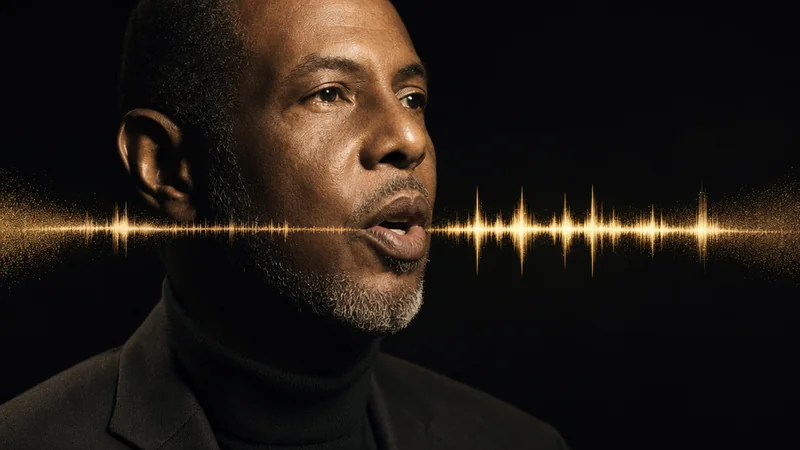
The line was wrong. Not the delivery, not the framing, the actual words. Legal wanted "may reduce" instead of "reduces", and the shoot wrapped three weeks ago in a room that no longer exists.
Every video person has some version of this story.
Historically you had four options, all bad: reshoot, cut around it with B-roll, live with an obvious ADR mismatch, or rewrite the edit. Pick your poison. VEED Lipsync v2 gives you a fifth, and it is now available in Studio.
Two inputs, nothing else
This is the simplest model we carry. It takes exactly two things:
- a video with a visible speaker
- an audio track
It returns the same video with the speaker's mouth re-articulated to the new audio. No prompt. No style setting. No resolution tier or aspect ratio, because the output inherits everything from the source.
I checked the API schema directly before wiring it up and there genuinely are only those two fields. That constraint is the point. There is nothing to configure and therefore nothing to configure wrongly, which is a nice change from models with fourteen knobs where thirteen of them are wrong by default.
What VEED Lipsync v2 costs
Lipsync is billed per second of output, and since re-voicing does not change a clip's length, that is the length of the clip you upload.
In Studio: 4.2 credits per second.
A 15-second clip is 63 credits. A 30-second one is 126. A full minute, which is the ceiling we allow per job, is 252.
Against a reshoot, that is not a close call. It is one of the cheaper things in the catalogue, because it performs a narrow, well-defined transformation rather than generating a video out of nothing. Compare it with the generation models in our per-second price comparison and it sits near the bottom, which is where a fix-up tool belongs.
The three jobs it does well
Fixing a line without a reshoot. The case above. Record the corrected line, ideally in a similar acoustic space, and re-voice just that segment. Cut it back into the master. If the performance energy roughly matches, this is undetectable to a normal viewer.
Localisation. This is the one with real commercial weight. Take a finished piece to camera, generate or record the script in another language, and re-articulate the speaker to it. The talent appears to speak the language. For a corporate explainer going into four markets, that is four versions of a shoot you paid for once. The maths is hard to argue with. The natural pairing here is a cloned voice, and the ElevenLabs voice cloning workflow is what I use to keep the same vocal identity across languages rather than swapping in an obviously different narrator. When the presenter is an avatar rather than filmed talent, the HeyGen multilingual playbook covers the same job, including the review step nobody budgets for.
Script iteration on stock or generated footage. If your presenter is an AI-generated clip or a licensed stock performer, the picture is fixed and the words are not. Re-voice as the copy changes. This is closer to how the AI avatar pipeline works in practice, and it is far cheaper than regenerating the whole clip each time the messaging shifts.
Where it struggles
I would rather you hear this from me than discover it on a client deadline.
Extreme close-ups punish it. The tighter the mouth is in frame, the more scrutiny the result gets, and the more likely you are to see softness or a slightly wrong tooth line. Mid-shots are far more forgiving. If you know at shoot time that a line might change, do not shoot it as a big close-up.
Heavy motion and occlusion. A speaker turning away, gesturing across their face, eating, or moving fast through hard shadow all make the job harder. Front-on, reasonably steady, evenly lit is the happy path.
Framing is not its job either. If the take is right but the shape is wrong for the placement, that is the other finishing tool: LTX 2.3 Reframe re-crops a finished clip to a new aspect ratio and tracks the subject rather than centre-cropping it.
Timing mismatch is your problem, not the model's. If your new audio is twelve seconds and the original line was seven, the model re-articulates across the clip it was given. It does not retime your edit. Match the length at the recording stage. Otherwise you will be adjusting the cut around it afterwards, which is the slow way round. And if you have the track but no footage at all, that is a generation job, not a lipsync one: LTX 2.5 Audio to Video times new picture to the audio you supply.
Multiple speakers in frame. Treat this as unsupported for now and cut to single-speaker segments before you process.
It does not change the performance. Eyebrows, head movement, hands and eyeline all stay exactly as shot. If the original delivery was flat, you now have a flat delivery saying different words. Lipsync fixes mouths, not acting. Anyone expecting a performance transfer should be looking at Runway Act One or HeyGen's actor direction instead, which solve a genuinely different problem.
Getting a clean result
A short checklist that covers most of the failures I have hit.
- Cut to the speaking segment first. You are billed per second of the clip you upload, so do not pay to process eight seconds of B-roll where nobody is talking.
- Match the room. New audio recorded in a dead room over footage shot in a live one sounds wrong even when the mouth is perfect. Match reverb before you process, not after. Room tone is the gap most people never fill, and our guide to AI audio in video production explains why.
- Keep the read near the original length. Within a second or so is comfortable.
- Upload MP4 or MOV. We read the clip's true duration server-side so you are charged for the file you actually sent, and containers we cannot measure are refused up front rather than priced by guesswork.
- Check at 100%, not on a phone preview. If it holds at full size it will hold anywhere.
Is this ethical?
Worth addressing directly, because it is the question that should be asked of any tool that puts words in someone's mouth.
Re-voicing your own footage, your own presenter, with their knowledge, is ordinary post-production. ADR has existed for as long as sound film has. Localising a corporate video with the presenter's agreement is the same category of work.
Re-voicing someone who has not agreed to it is a different act entirely, and no amount of "the tool made it easy" changes that. Get consent in writing for likeness use, particularly for localisation, where the talent may reasonably care what they are made to appear to say in a language they do not speak. Put it in the contract.
Studio's content policy applies here as it does everywhere, and this is one of the few places I would encourage you to be more conservative than the policy requires.
VEED lip sync: common questions
Does it change the voice? No. It changes the mouth to match whatever audio you give it. If you want a different voice, that happens upstream, in your recording or your TTS.
What if there is no speaker in the clip? You will get a poor result or a failure. It needs a face with a visible mouth.
Can I use it on animated or illustrated characters? Results vary a lot with style. Realistic 3D faces do better than stylised 2D. Worth one test render before you plan a series around it.
Does it handle any language? It matches mouth movement to the audio waveform rather than to a language model, so it is not restricted to a list. Languages with sounds that look very different on the mouth can need a closer look.
How does it compare with Pika's lip sync? Different intent. Pika's is part of generating a scene, covered in the Pika 2.5 review. VEED's operates on footage that already exists. If you are creating the shot, look at the former. If you are fixing or localising a shot you already have, this is the one.
The short version
VEED Lipsync v2 is a repair-and-localise tool, not a creative one. It does not help you make something new. It helps you avoid remaking something you already paid for, which in commercial video is a much more frequent problem than it gets credit for.
At 4.2 credits per second it is cheap enough to test on a single line before you commit a project to it. That is exactly what I would do. Take a clip you have already delivered, write a slightly different version of one sentence, and see whether the result survives your own eye at full size.
If it does, you have just removed reshoots from a whole class of client change request. Try it in Studio.
Generate cinematic AI video, from €5.99
34 AI models. No subscription. Buy credits, generate on demand, own the results outright.
Also on Android. The AI Videos Studio app, with the same account and credits.